



Task Management & Chat, Unified

RISA integrates tasks & chat
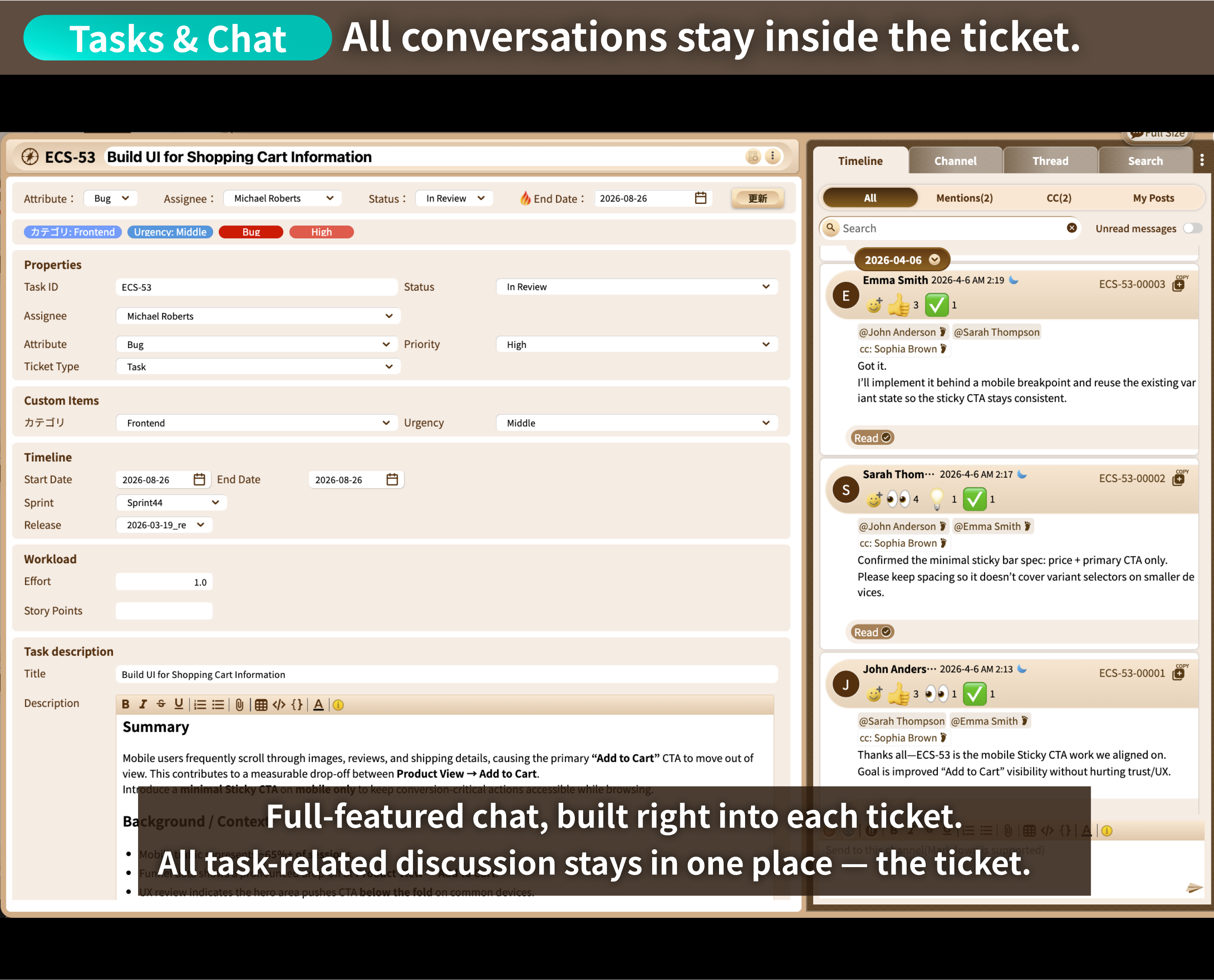
Chat lives inside the ticket,
So everything about the task stays right there.
Specs & Policy
Chat Conversations
Progress
Decision Process
Q&A
No More hunting
across scattered tools
Task management and chat in separate apps - sound familiar?

Wait, why did we end up
doing this task this way?

Searched for that chat
but still can't find it.

Which task is this
conversation even about?

Messages scroll by,
important ones get missed.
Chat and tasks live apart – context slips away.
Hopping between apps to catch up takes time.
Chat scrolls on, important messages get buried.
Too many notifications – important ones get lost.

RISA solves these problems, too
No credit card required.


What is RISA?
RISA is an Integrated Project Management Tool
that brings together tasks, chat, Gantt charts, Wiki, attendance tracking, and ToDo.
By bringing everything together, RISA unlocks new
capabilities - like linking tasks directly to conversations,
or connecting your schedule with attendance tracking.
Switch from juggling multiple tools to RISA, and experience a
dramatic boost in productivity
— along with cost savings you never knew you were missing.
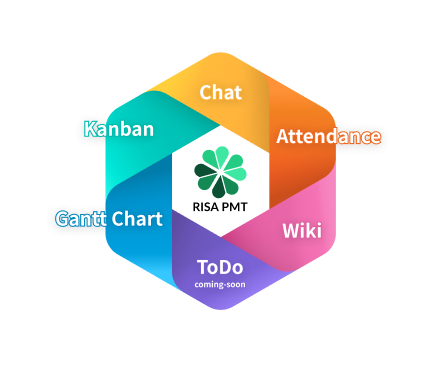
RISA — Integrated Project Management Tool


Task Management & Chat, Unified
“Wait,
How Did We Get
Here?”
When chat and tasks live in separate apps, the information behind them never connects.
Here's what changes with RISA
Every conversation lives inside
the task it belongs to
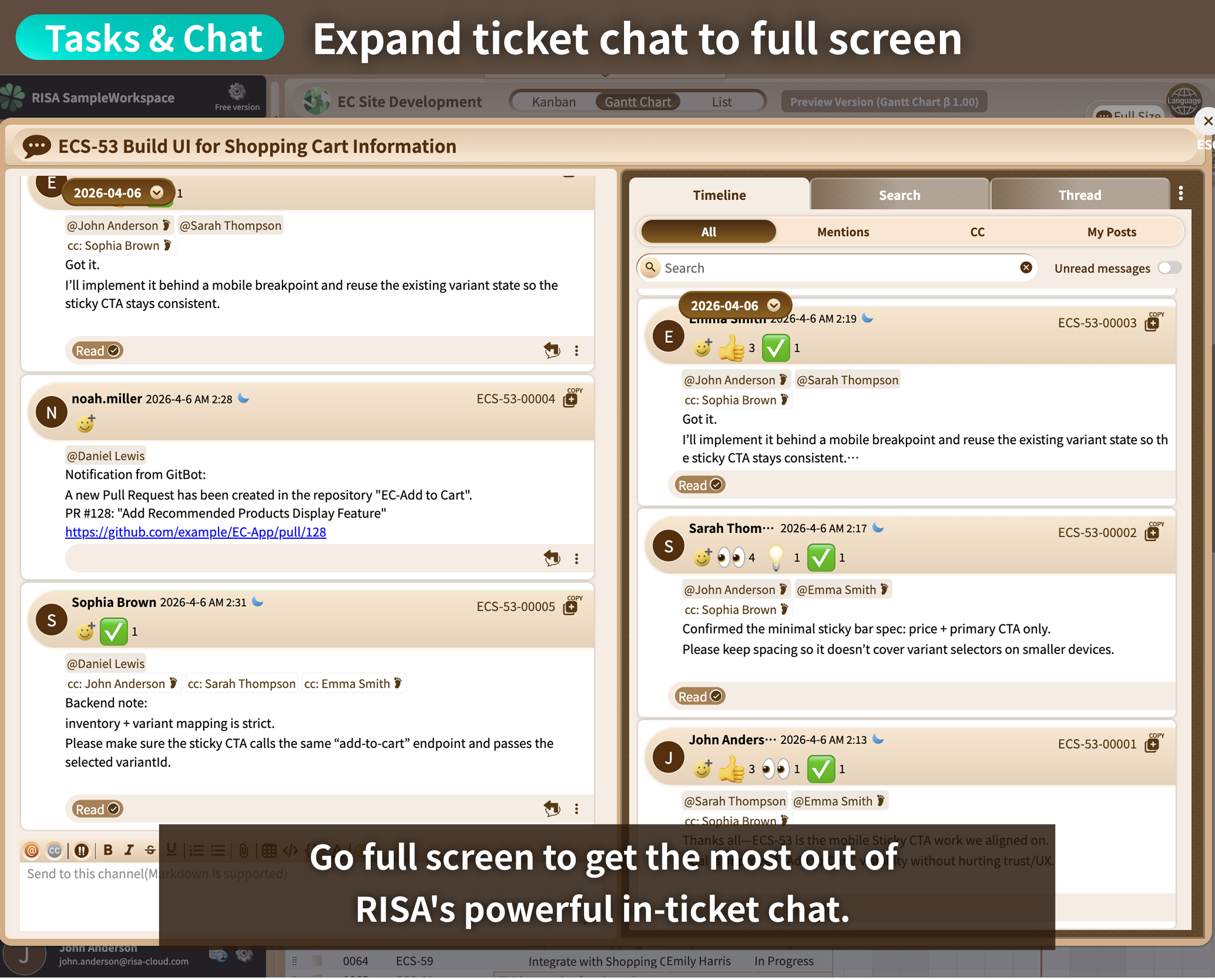
Chat happens right inside each task, so information never gets scattered across separate threads.
Everything related to a task stays with that task, so context never gets lost.
No more “what was said before this?”
— context
stays intact
Conversations about the same task no longer get split up across different chats.
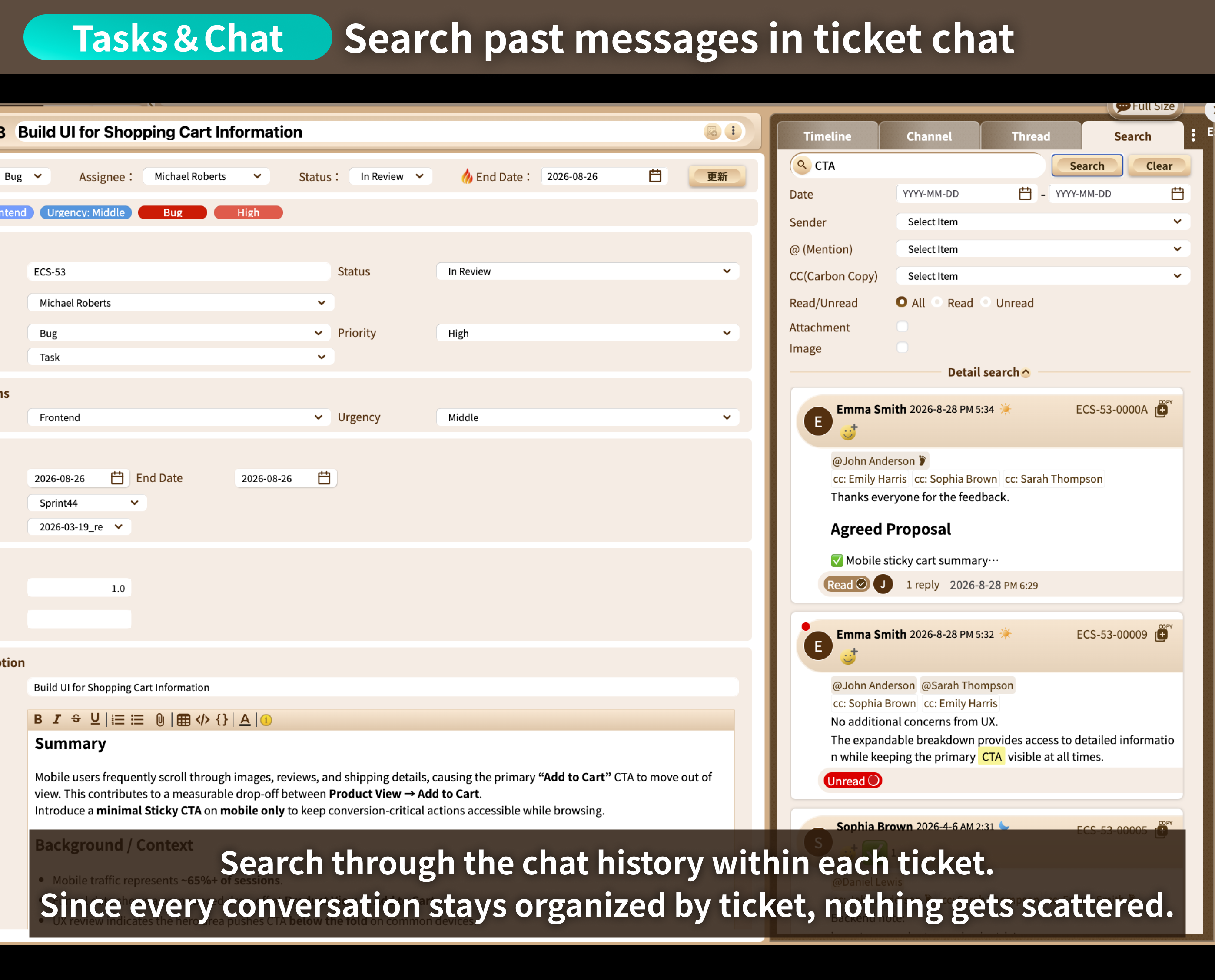
With timeline and search built right into each task's chat, you can find what you need in
seconds.
Stop hunting for messages. Just find the task.
Chat moves fast, so digging through a search history to find what you need is slow going.
With RISA, once you find the task, everything related to it is already there.
Searching for a task covers far less ground than searching for a message,
so you find what you're
looking for along with every related conversation much faster.

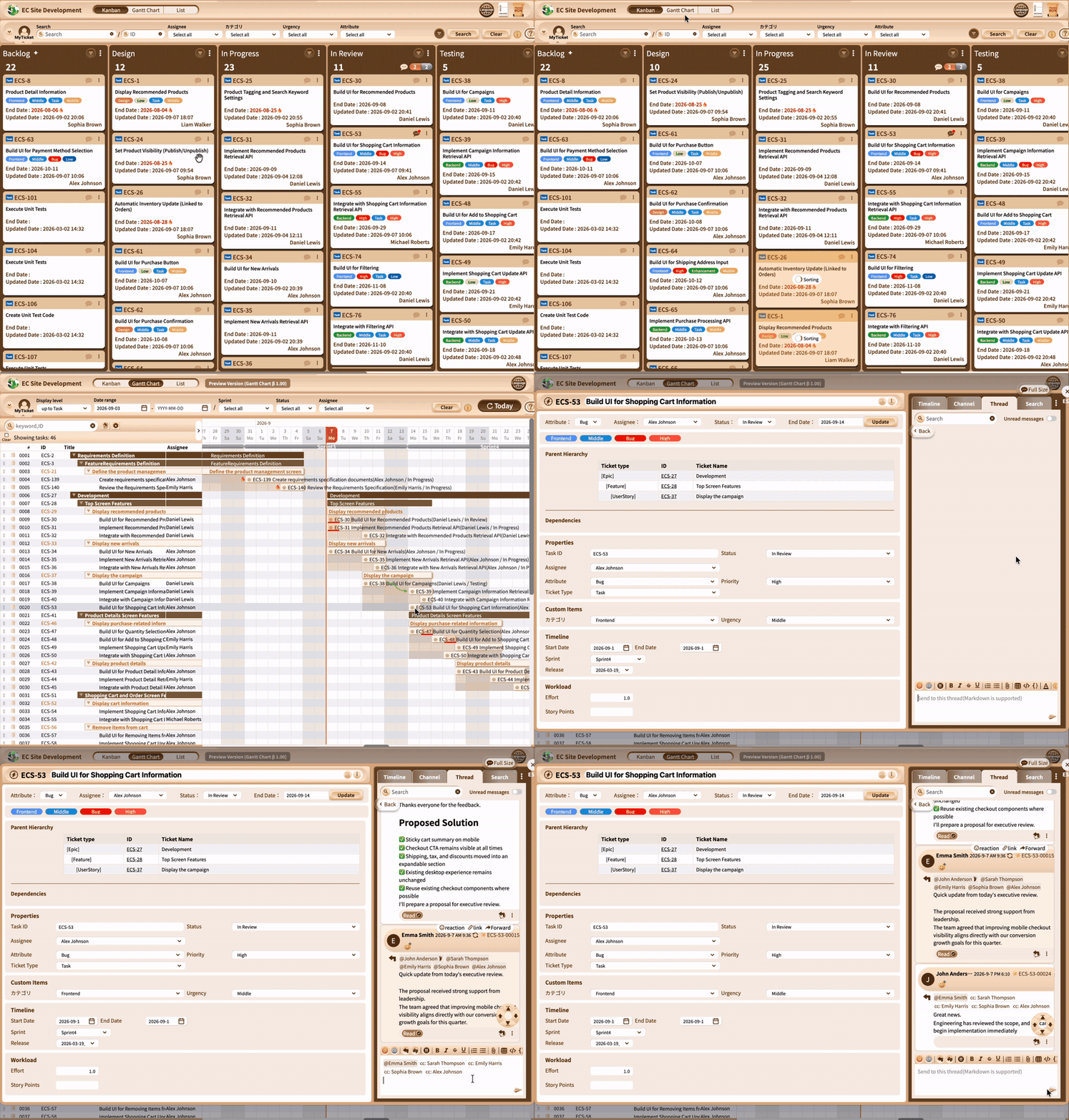
Seamless Task & Chat Integration
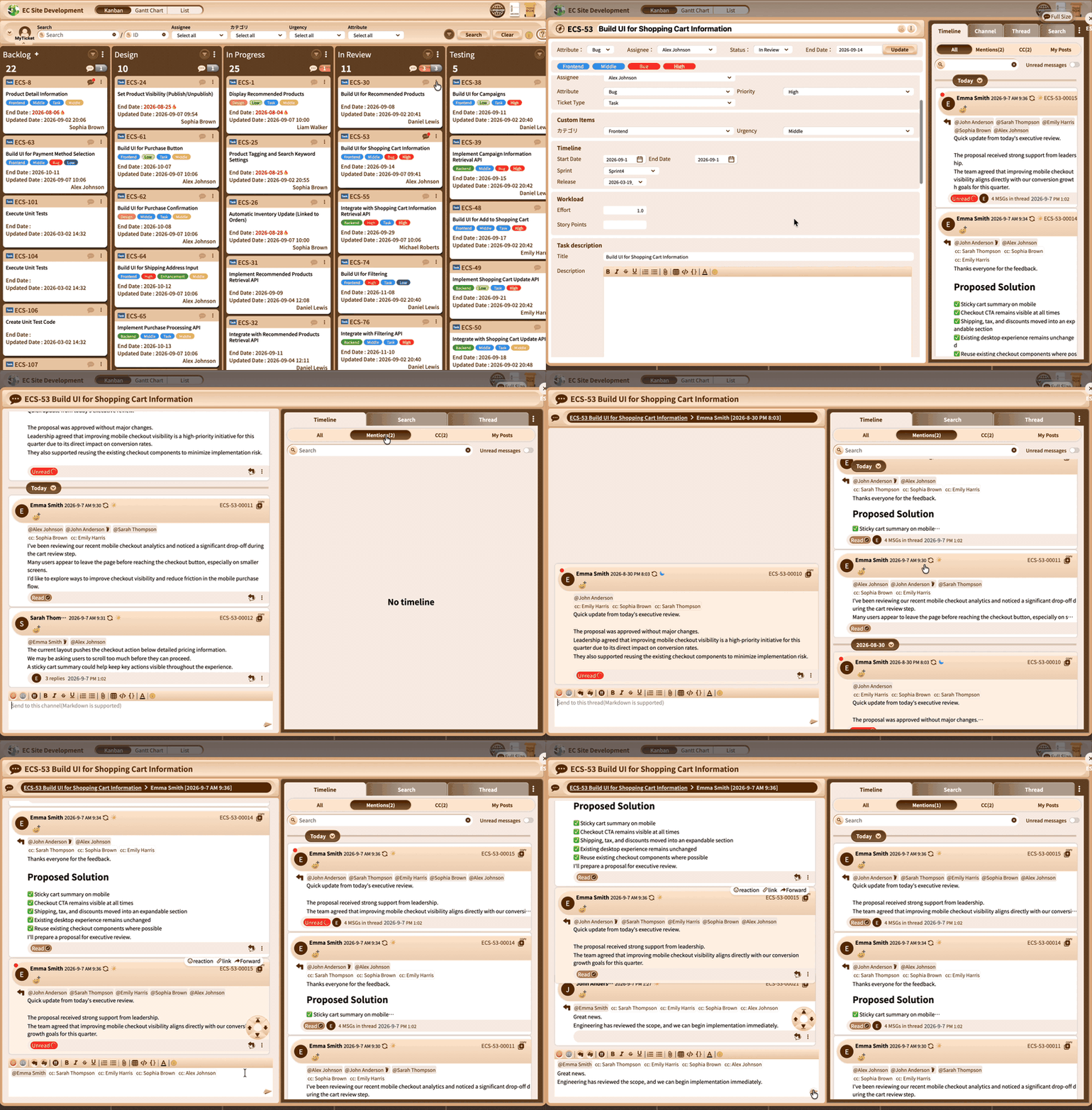
RISA Chat: Built to Accelerate Your Workflow
Task Management & Chat, Unified
Chat-Driven Task Management
A Toolset Built for Task Management
How Many Hours a Day
Do You Lose Bouncing
Between Apps to Catch Up?
Some studies show workers spend over 2 hours a day catching up and
searching for information — that's 480 hours a year.
Source >McKinsey Global Institute "The social economy: Unlocking value and productivity through social technologies"
Here's what changes with RISA
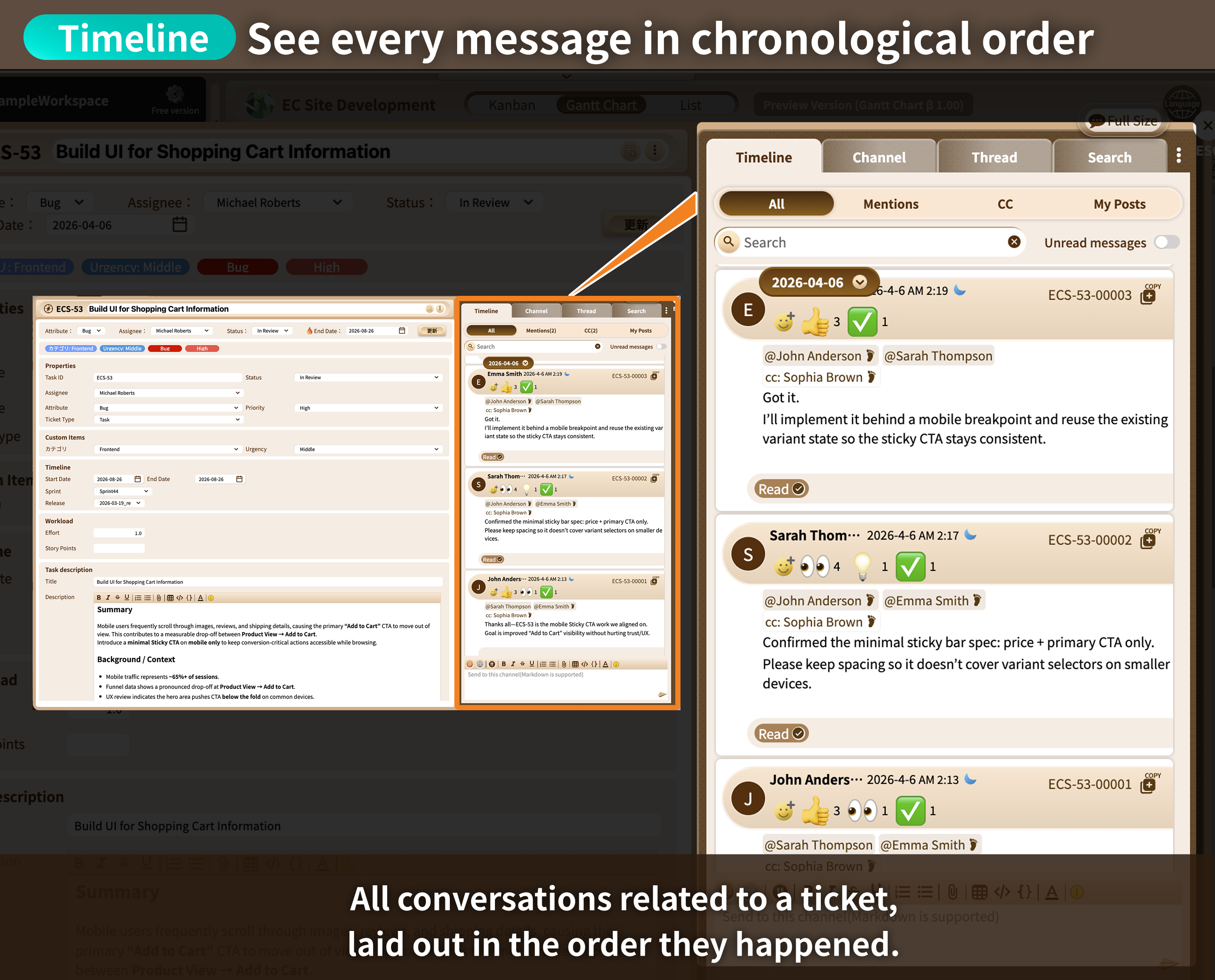
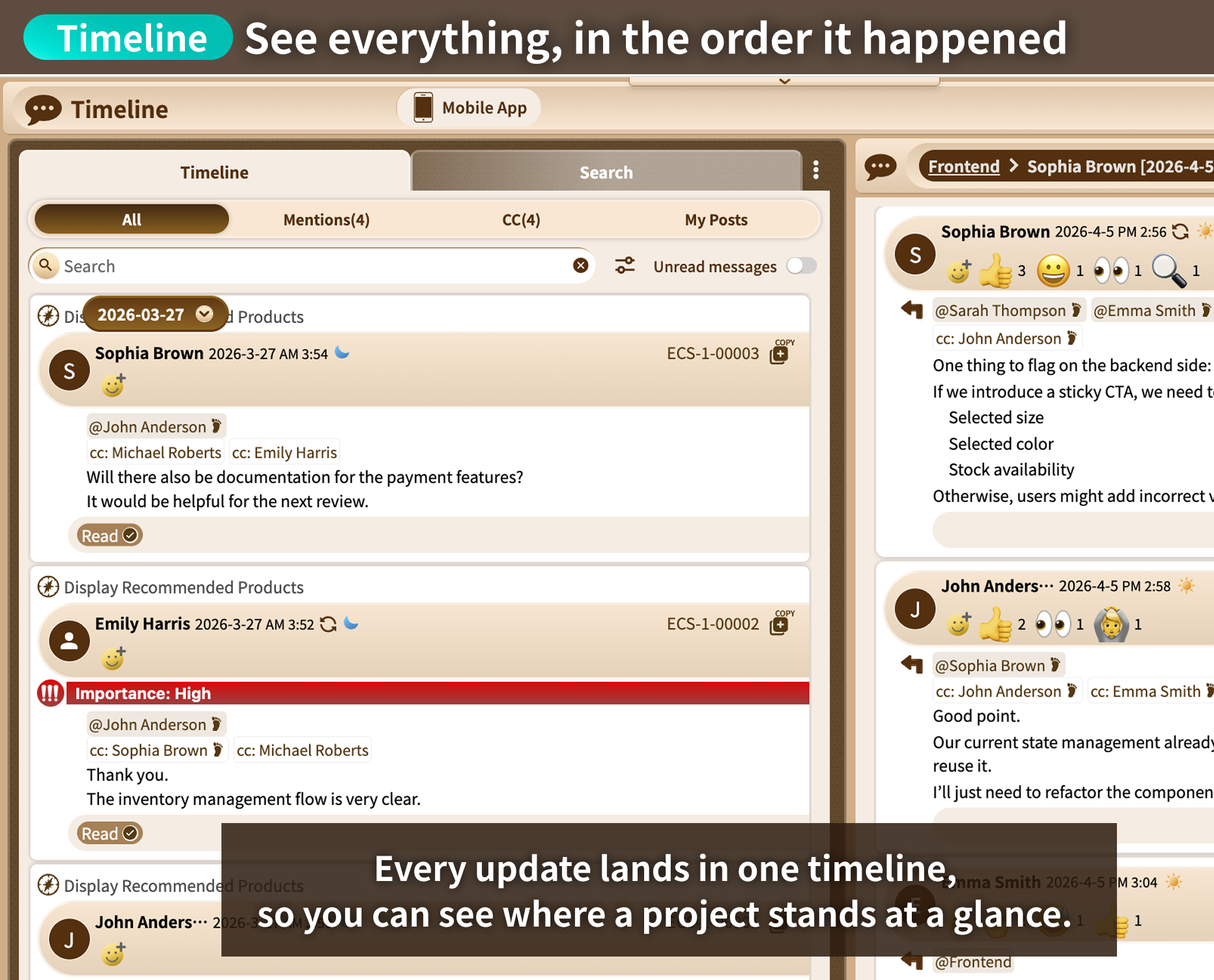
Just skim the timeline to catch
every conversation your team is having
Every conversation appears on the timeline in chronological order.
Jump
straight from any chat message to the task it belongs to.
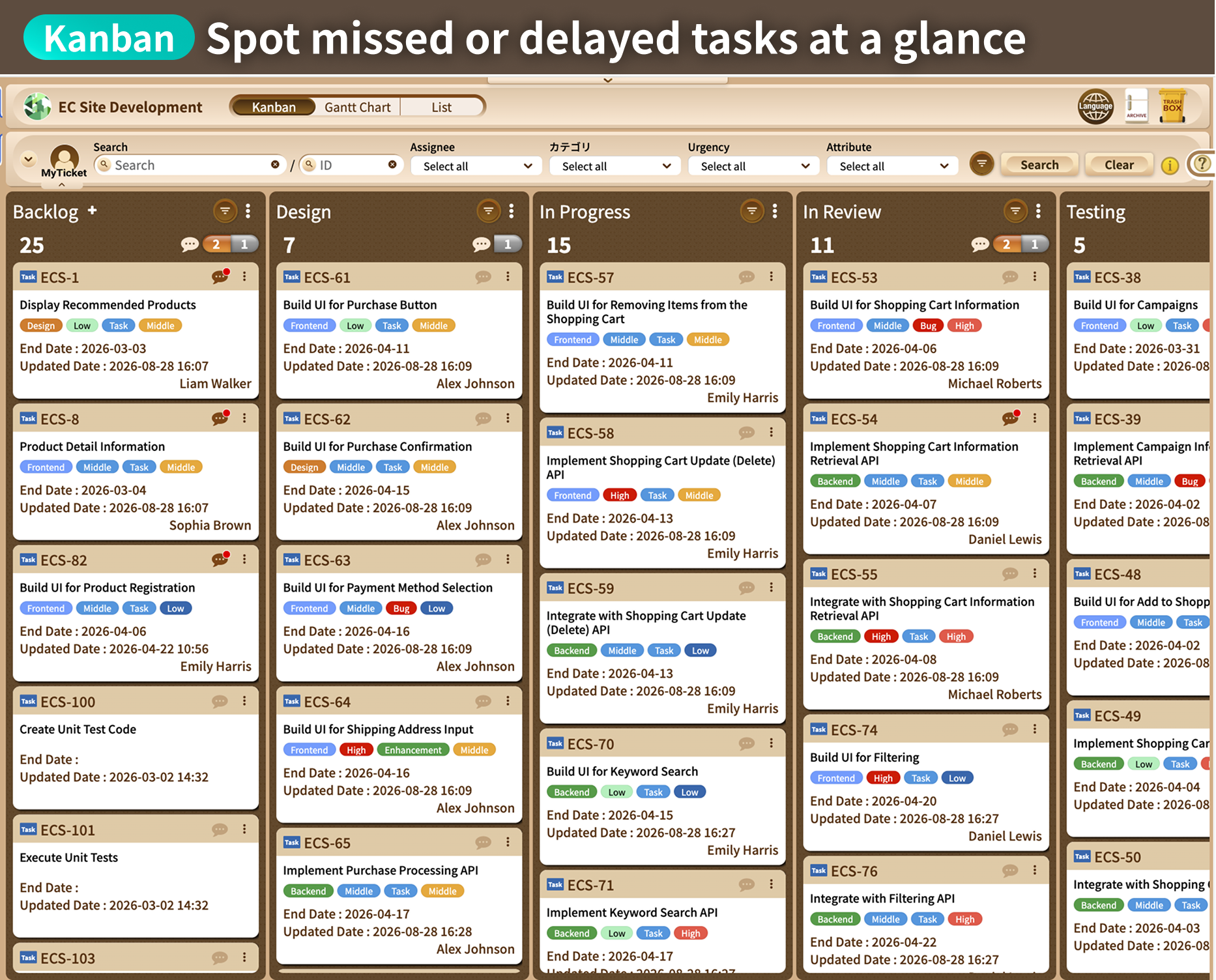
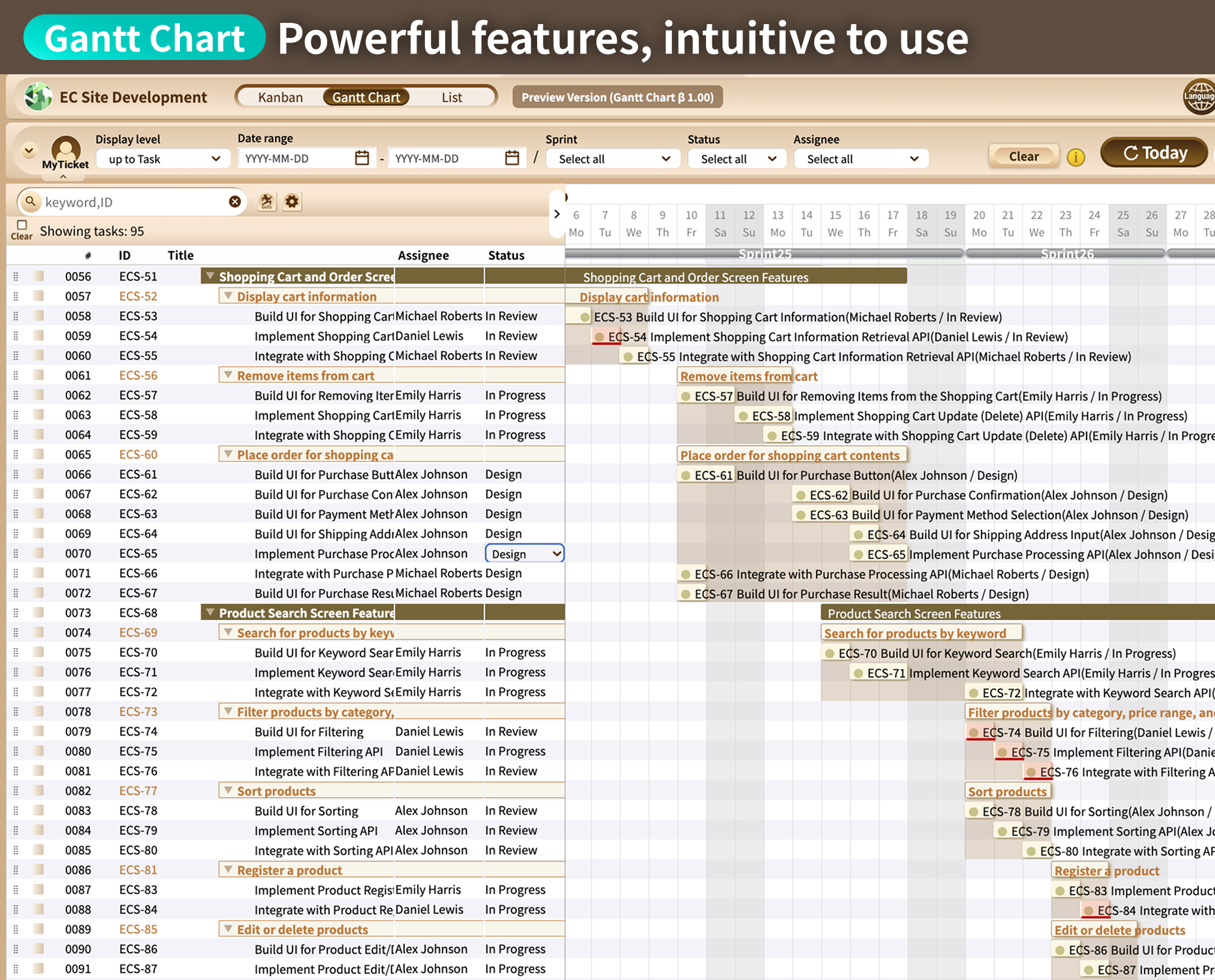
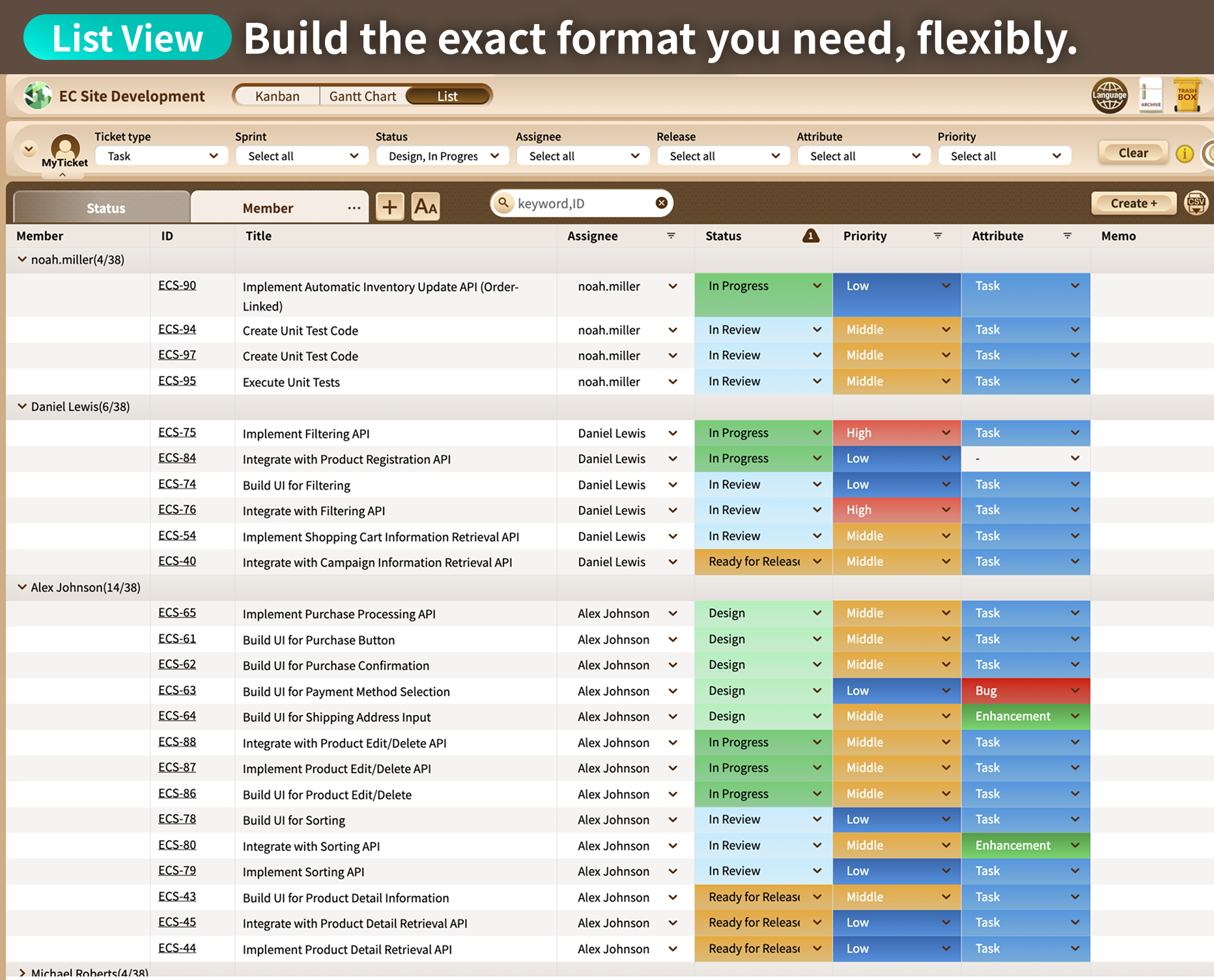
Get an instant read on where things stand
with Kanban, Gantt charts, and
lists
A full suite of tools built for task management
gives you an instant read on where things stand —
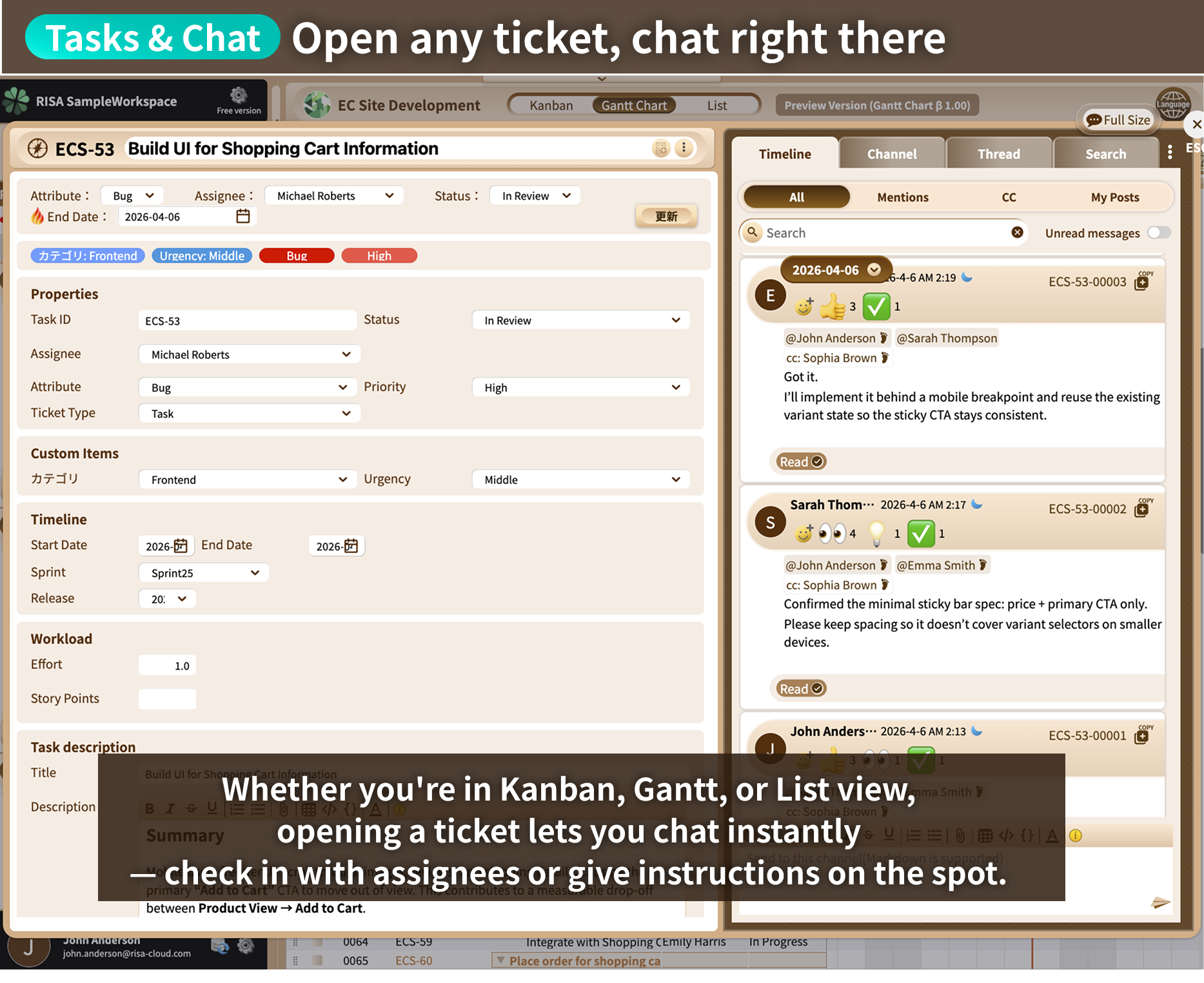
and when something needs a closer look,
just open the task and chat right there.
Got a question about a task? Just chat inside it
Open any task from Kanban or Gantt and start chatting immediately.
No need to
explain which task this is about — the chat already knows.
No credit card required.
Task Management & Chat, Unified
Do important messages get
buried as the chat
scrolls on?
The nagging worry that you've missed something important
is a problem every chat
app shares.
Here's what changes with RISA
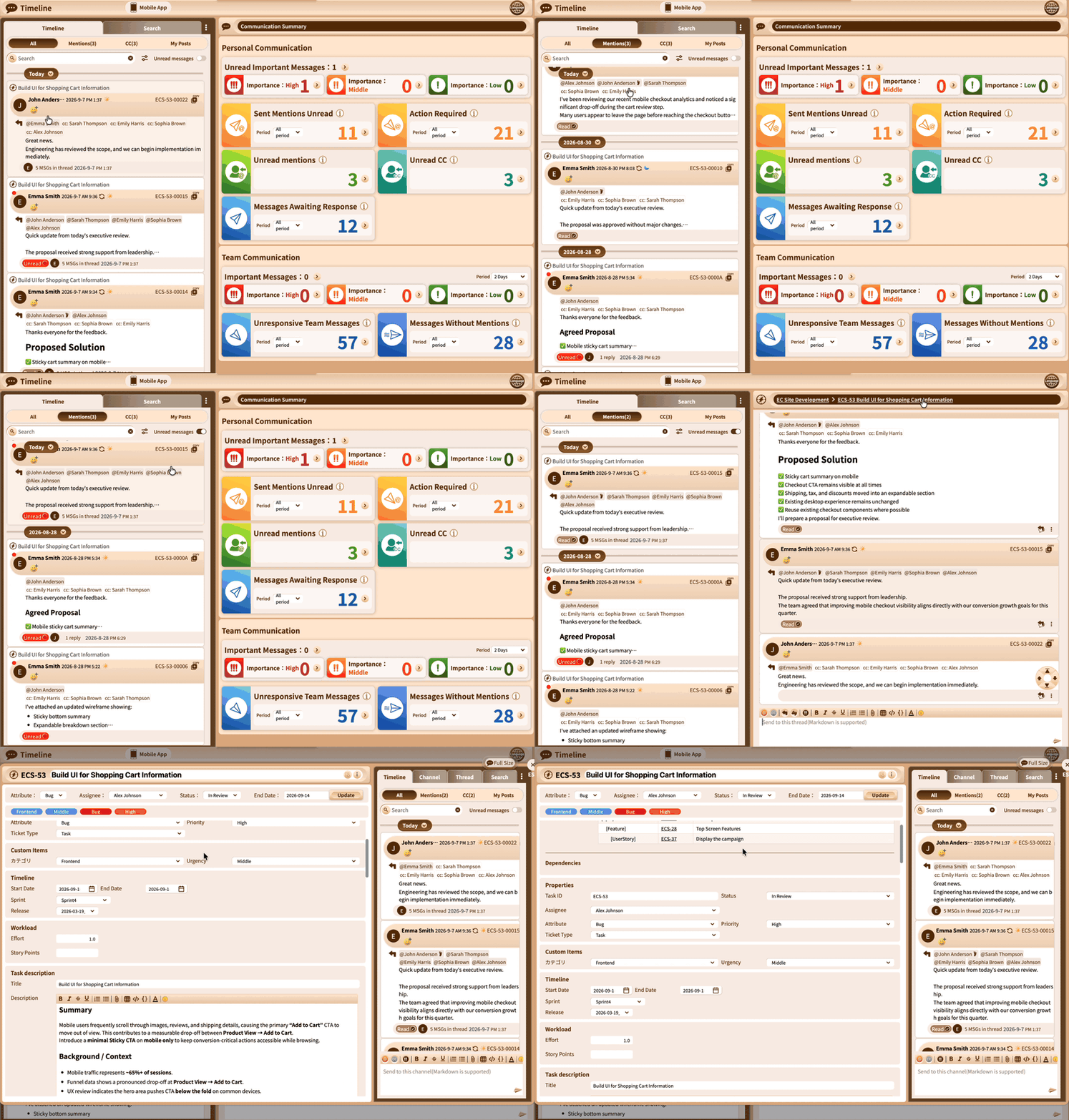
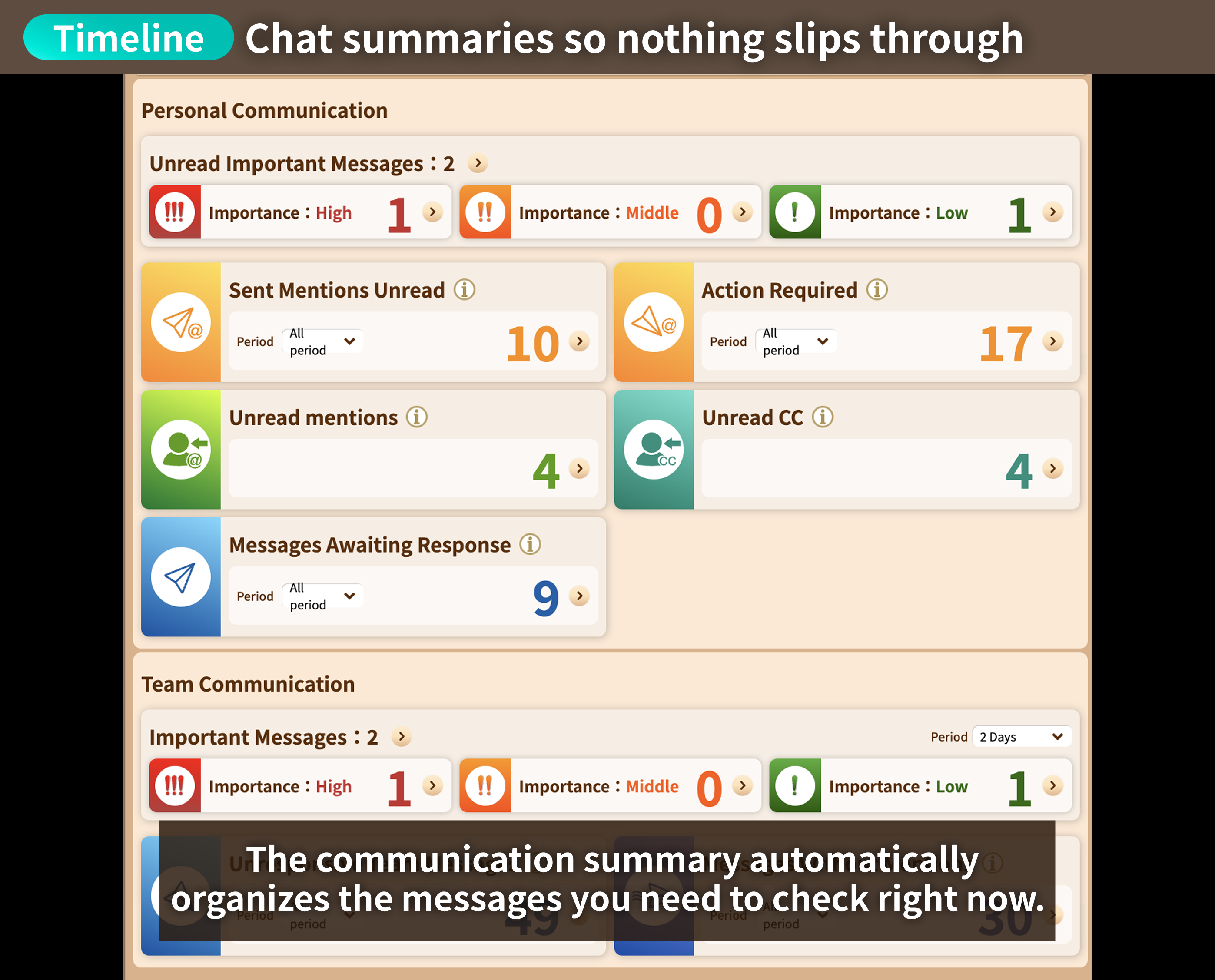
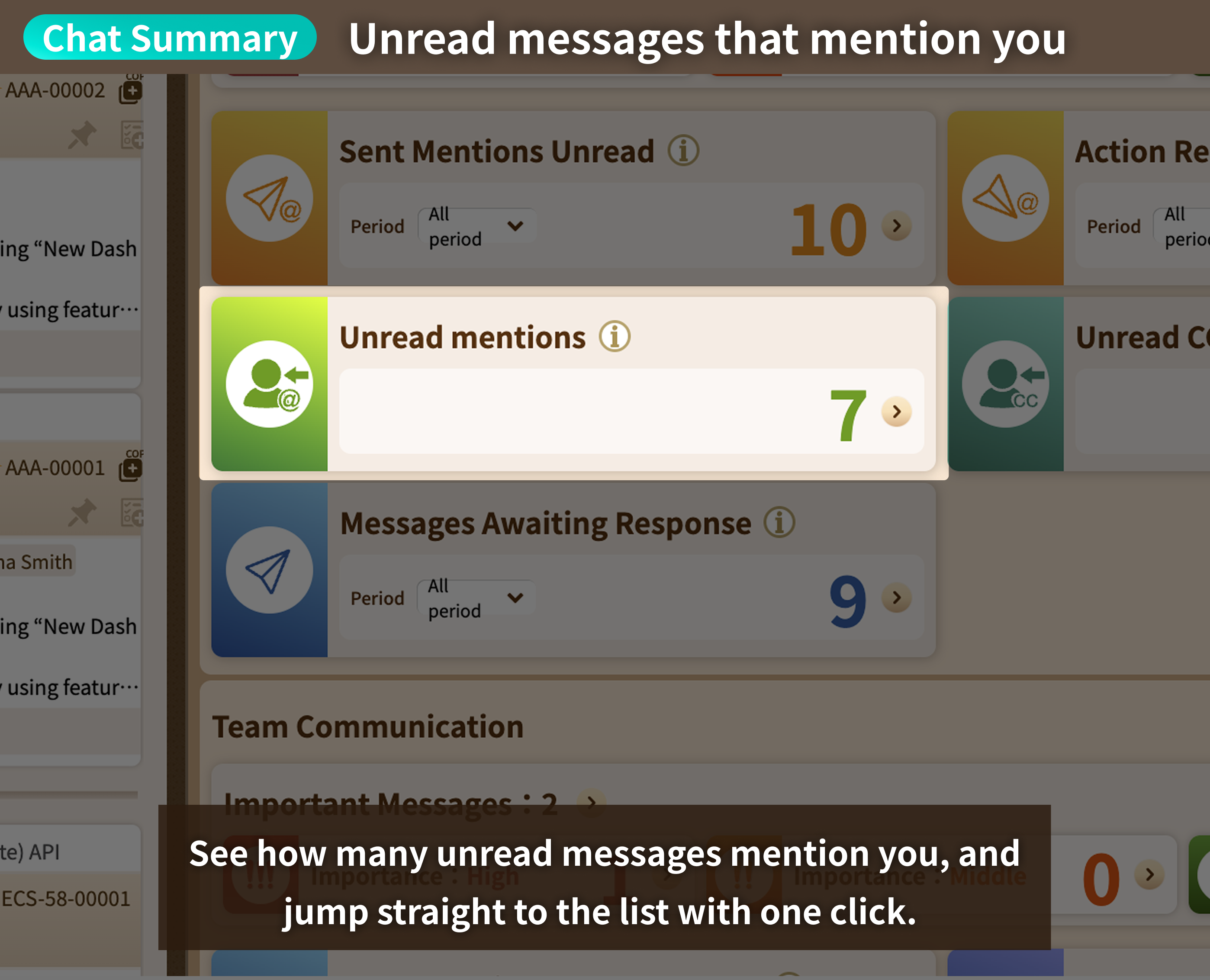
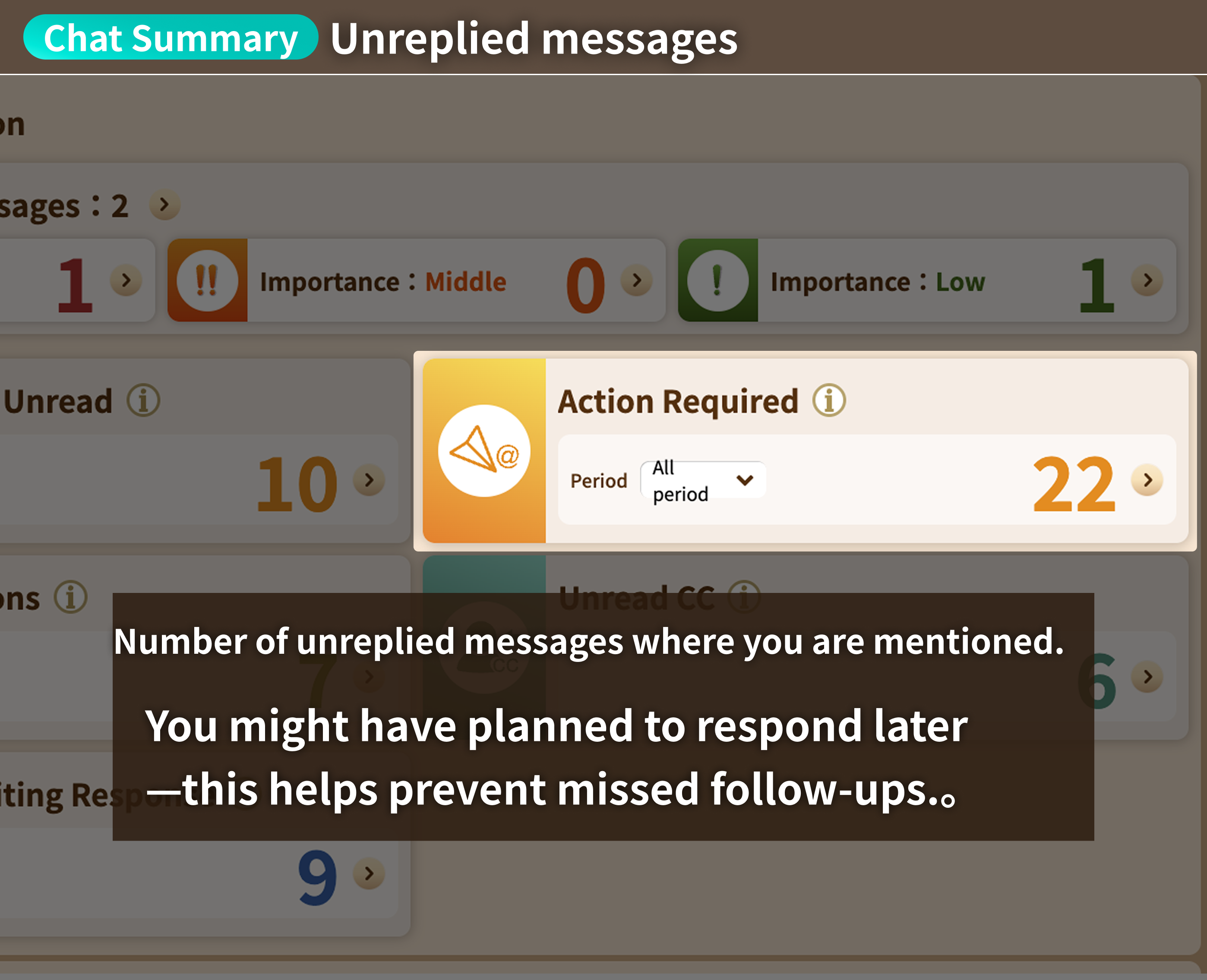
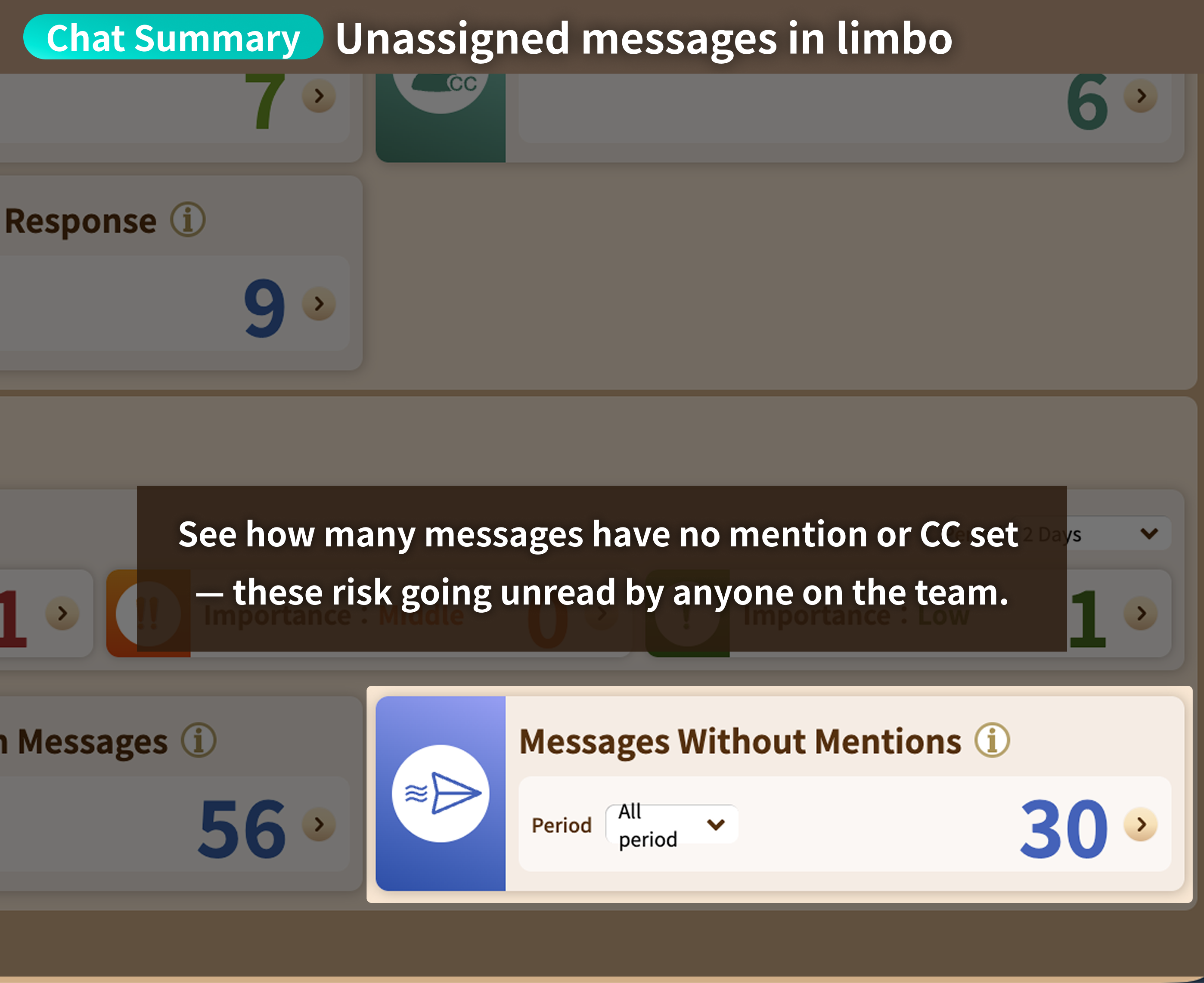
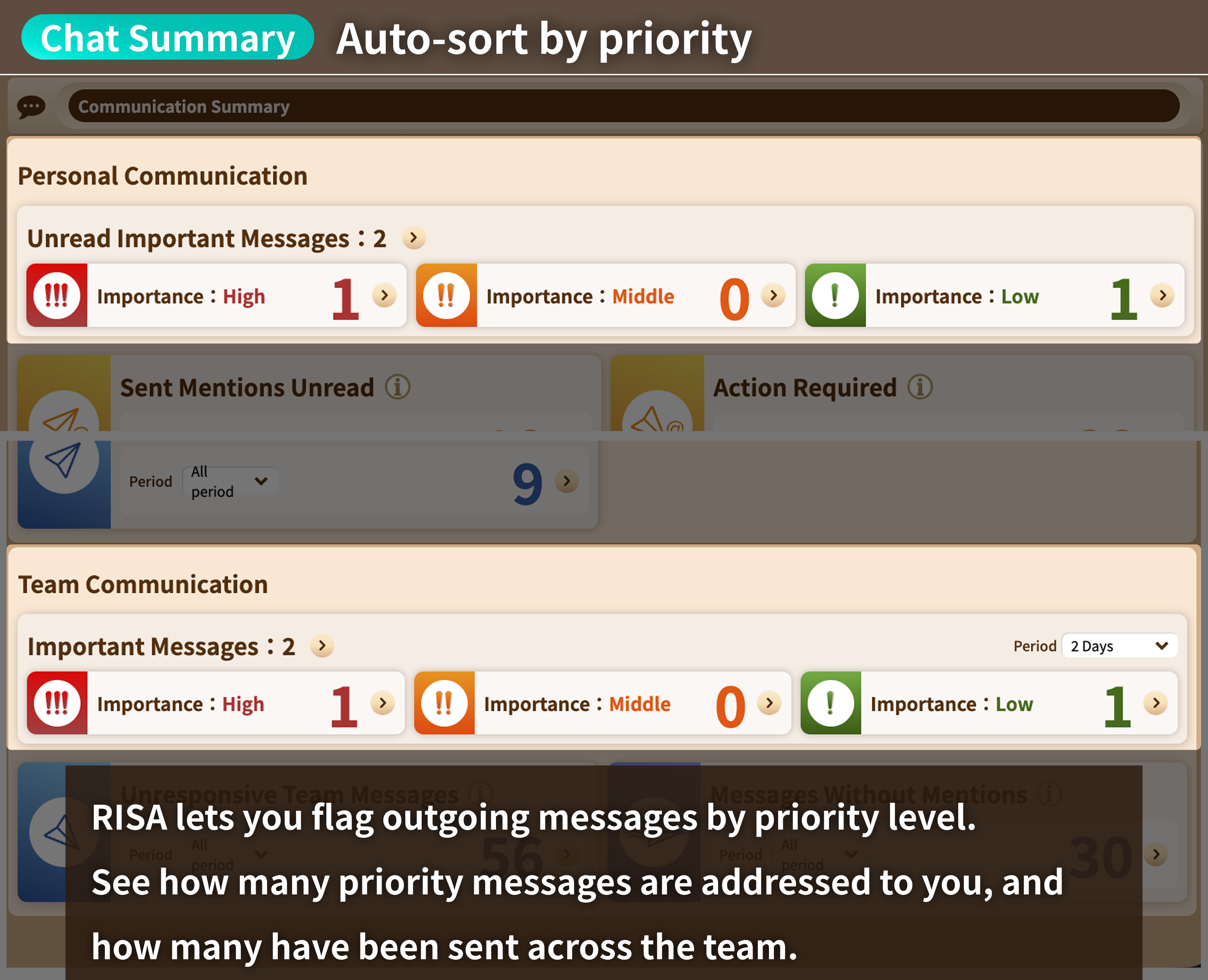
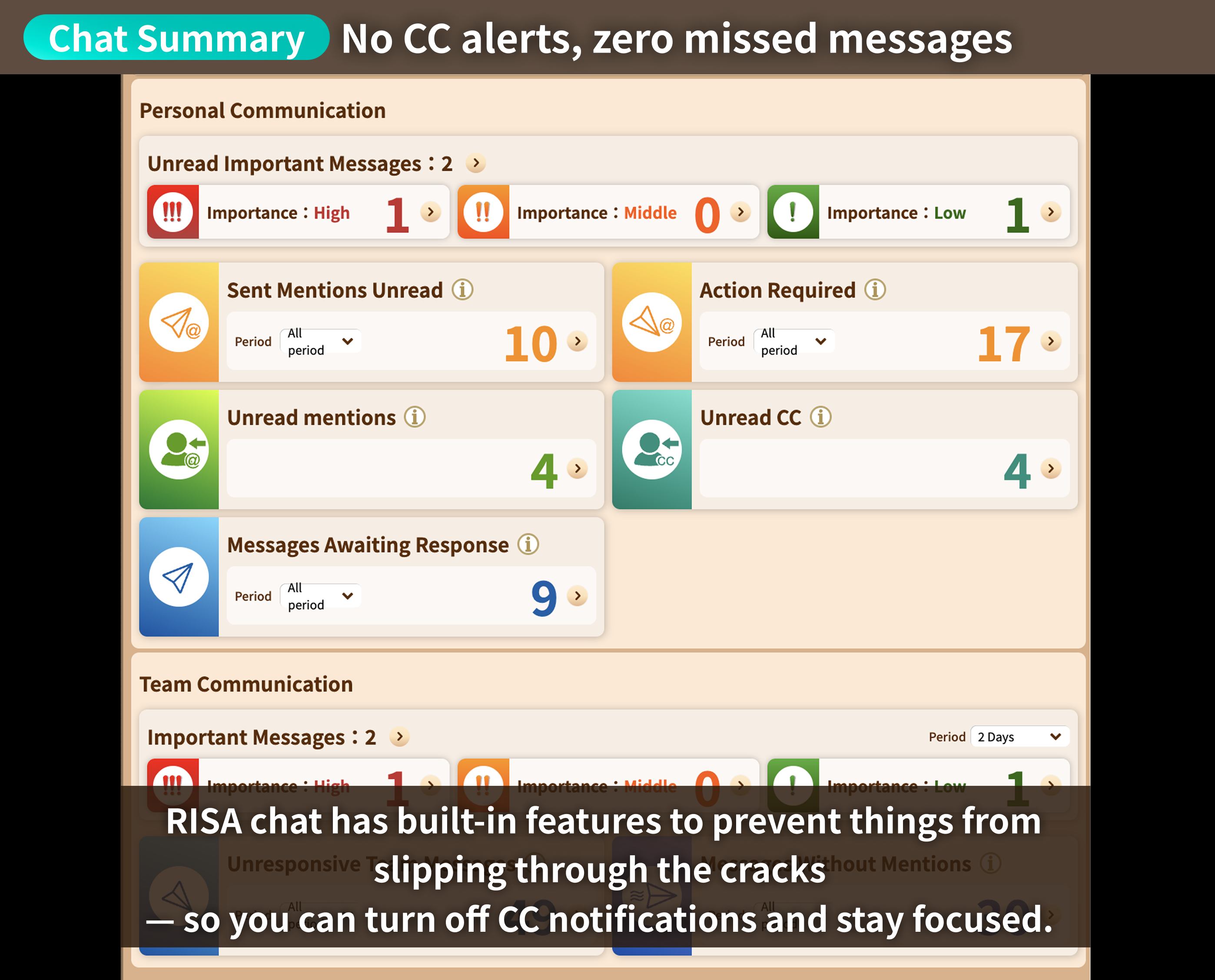
The Communication Summary makes sure
nothing slips through
Messages that need your attention are automatically sorted and laid out visually.
See at a
glance how many unread or high-priority messages are waiting for you.
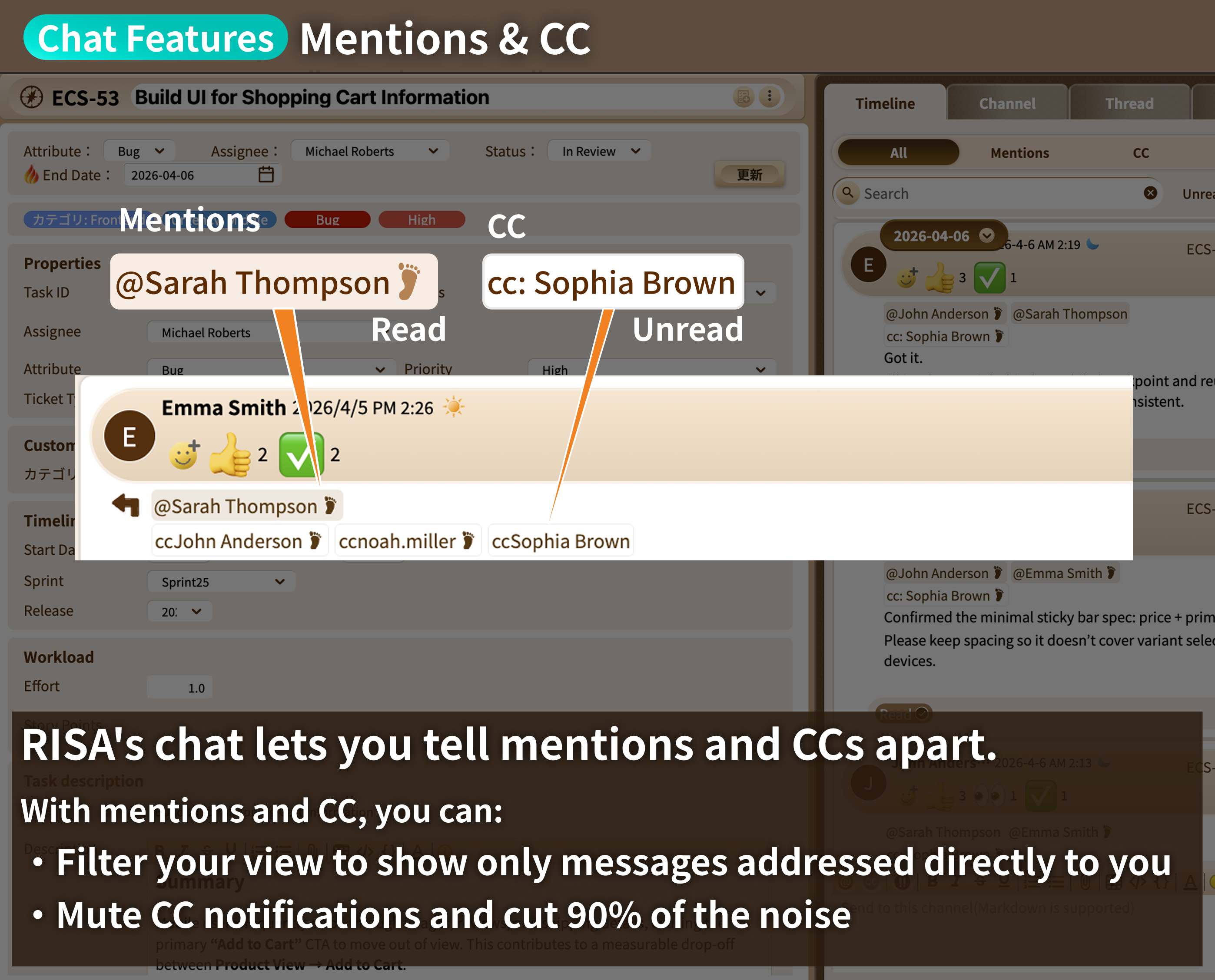
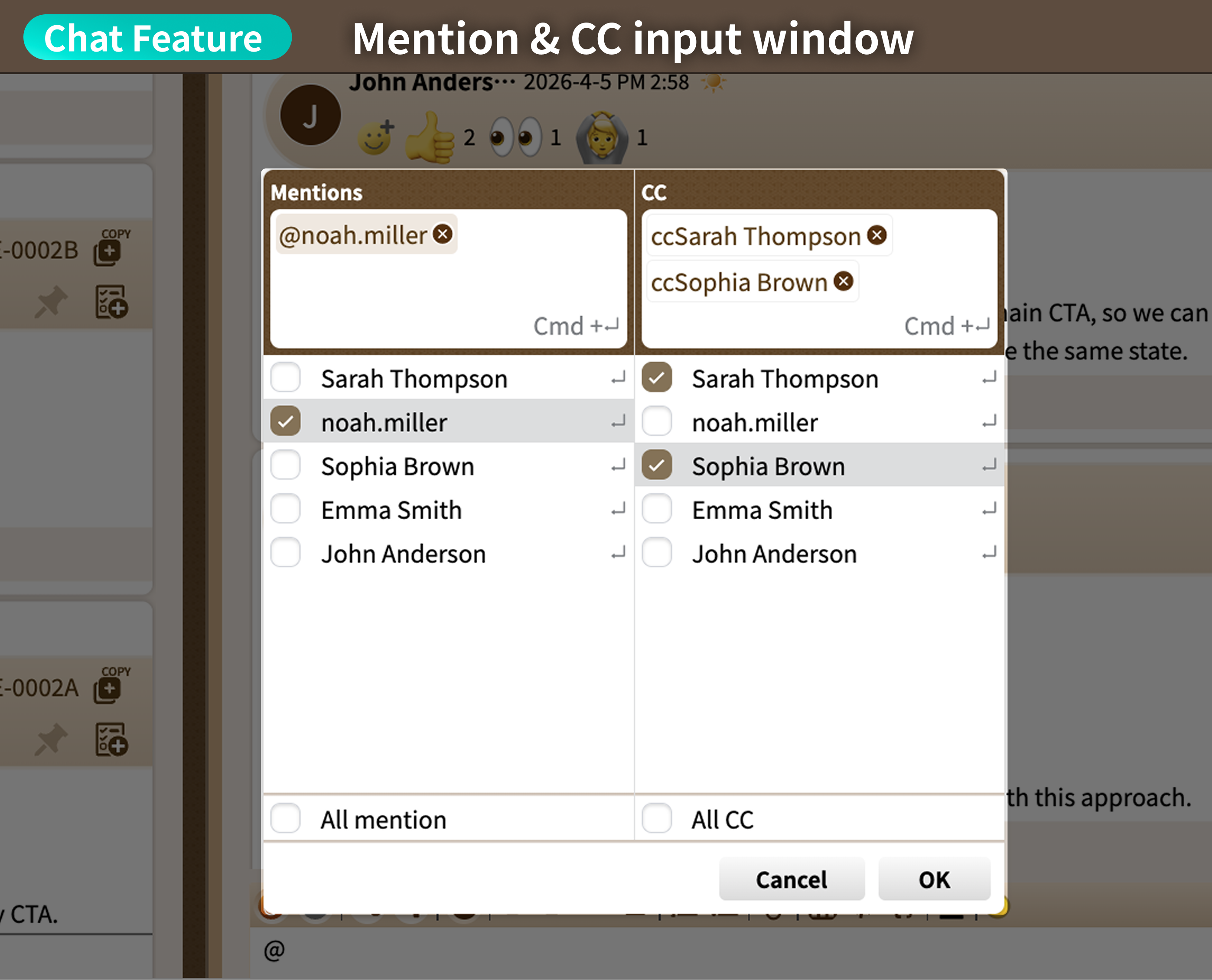
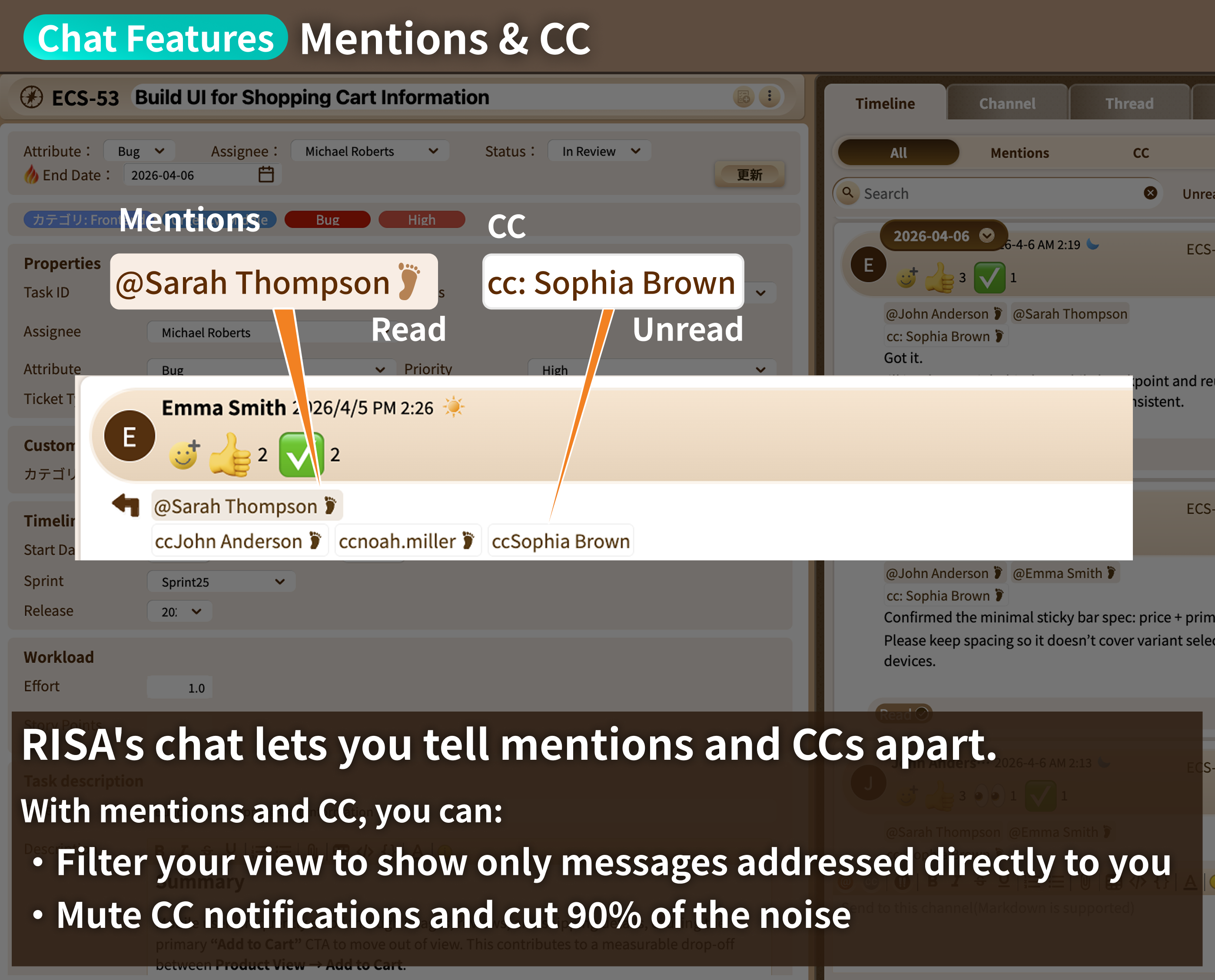
Mentions and CCs are automatically sorted,
so you always know what needs your response
Filter your view down to just the messages that mention you, separate from CCs.
No more digging
through your entire inbox — prioritize what's actually addressed to you.
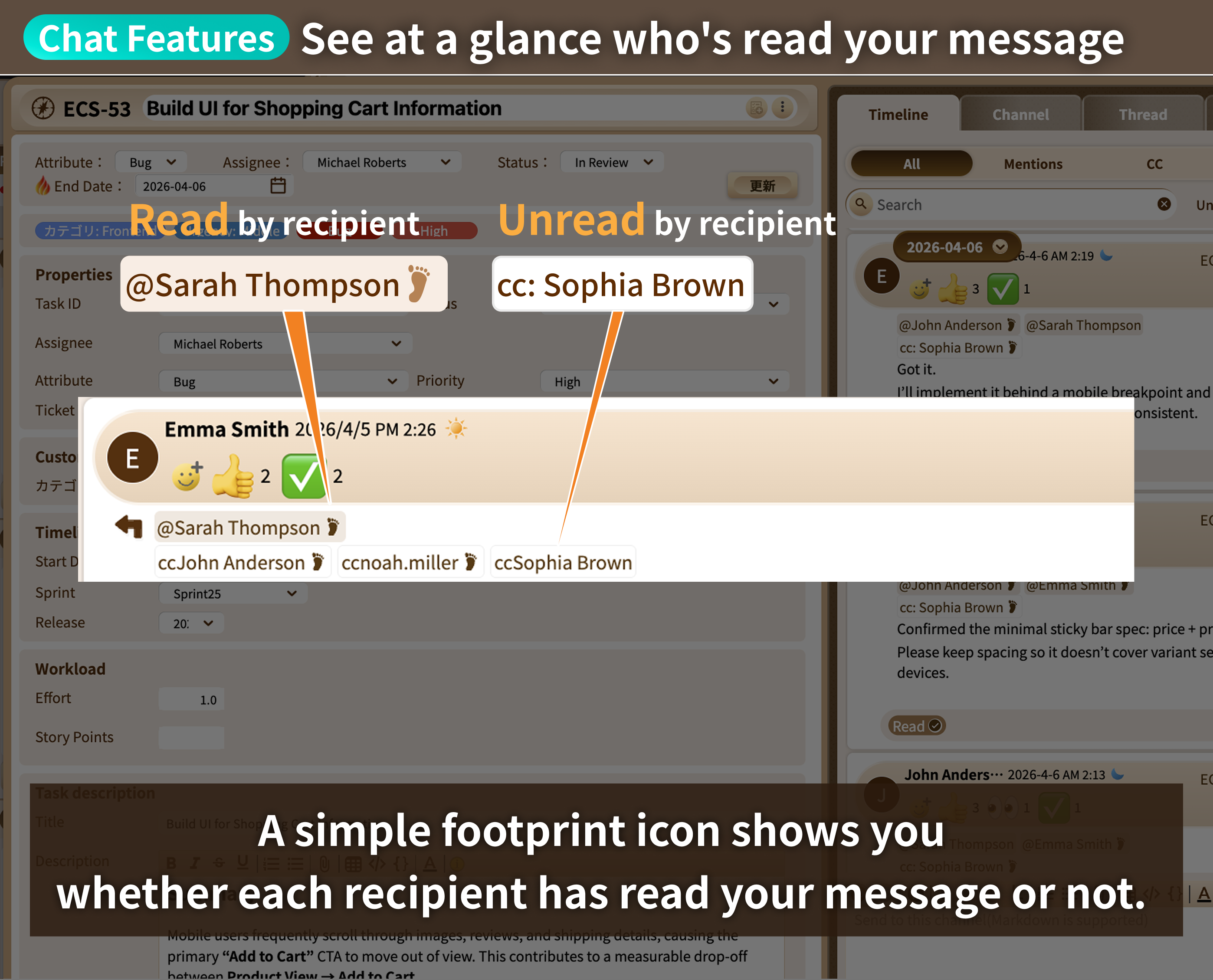
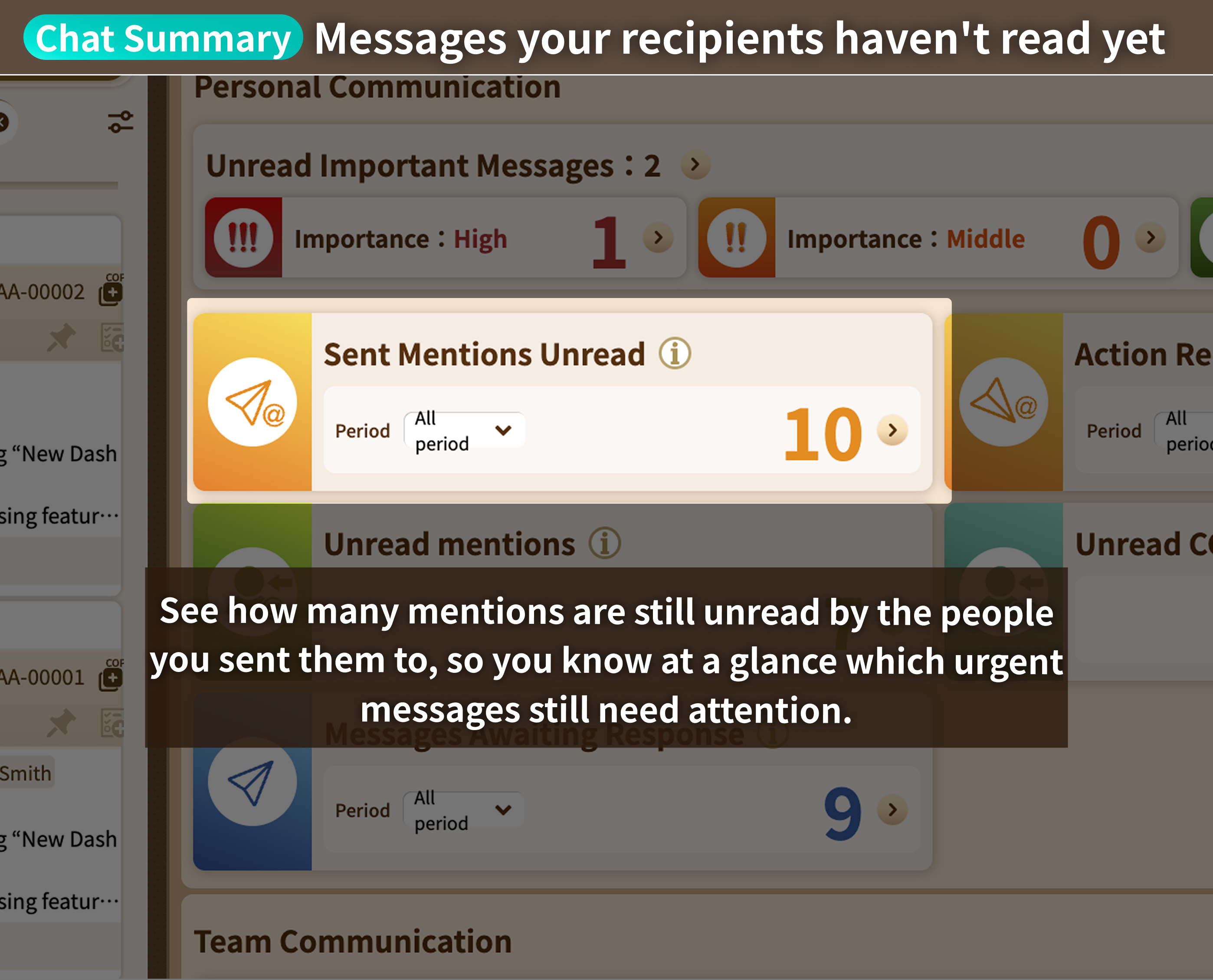
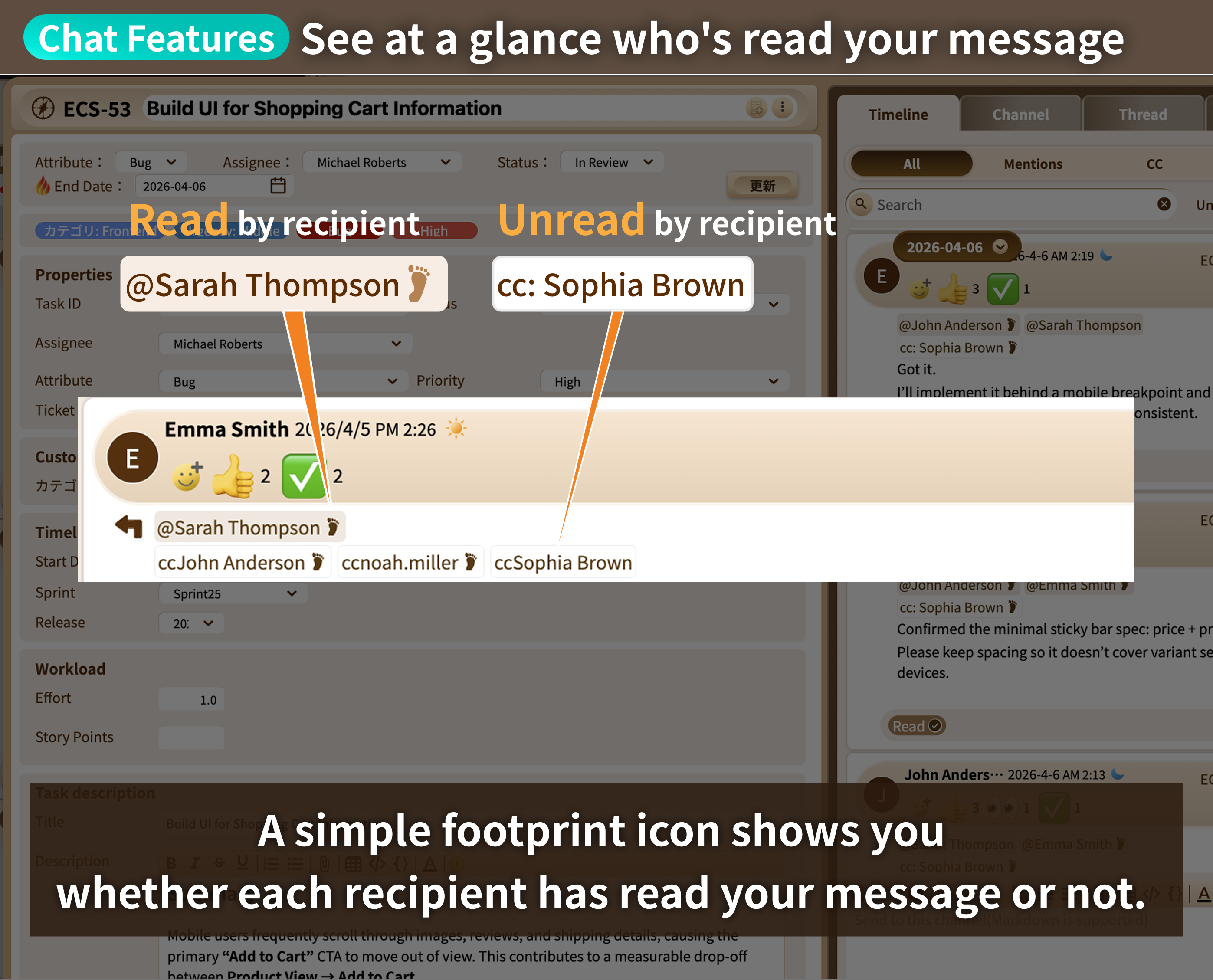
See who's read your message —
and who hasn't —
to cut down on risk
See in real time who has read your message and who still hasn't.
Remove the guesswork so your
whole team stays aligned.
Communication Summaries: Never Miss a Beat
Task Management & Chat, Unified
Zero Notification Noise, Zero Missed Updates
Is Every Notification
Breaking Your Focus?
Once your focus is broken, it takes 23 minutes to get back on track.
Source >Mark, G., Gonzalez, V.
M., & Harris, J. (2005). "No Task Left Behind? Examining the Nature of Fragmented Work."
Mark,
G., Gudith, D., & Klocke, U. (2008). "The Cost of Interrupted Work: More Speed and Stress."
Here's what changes with RISA
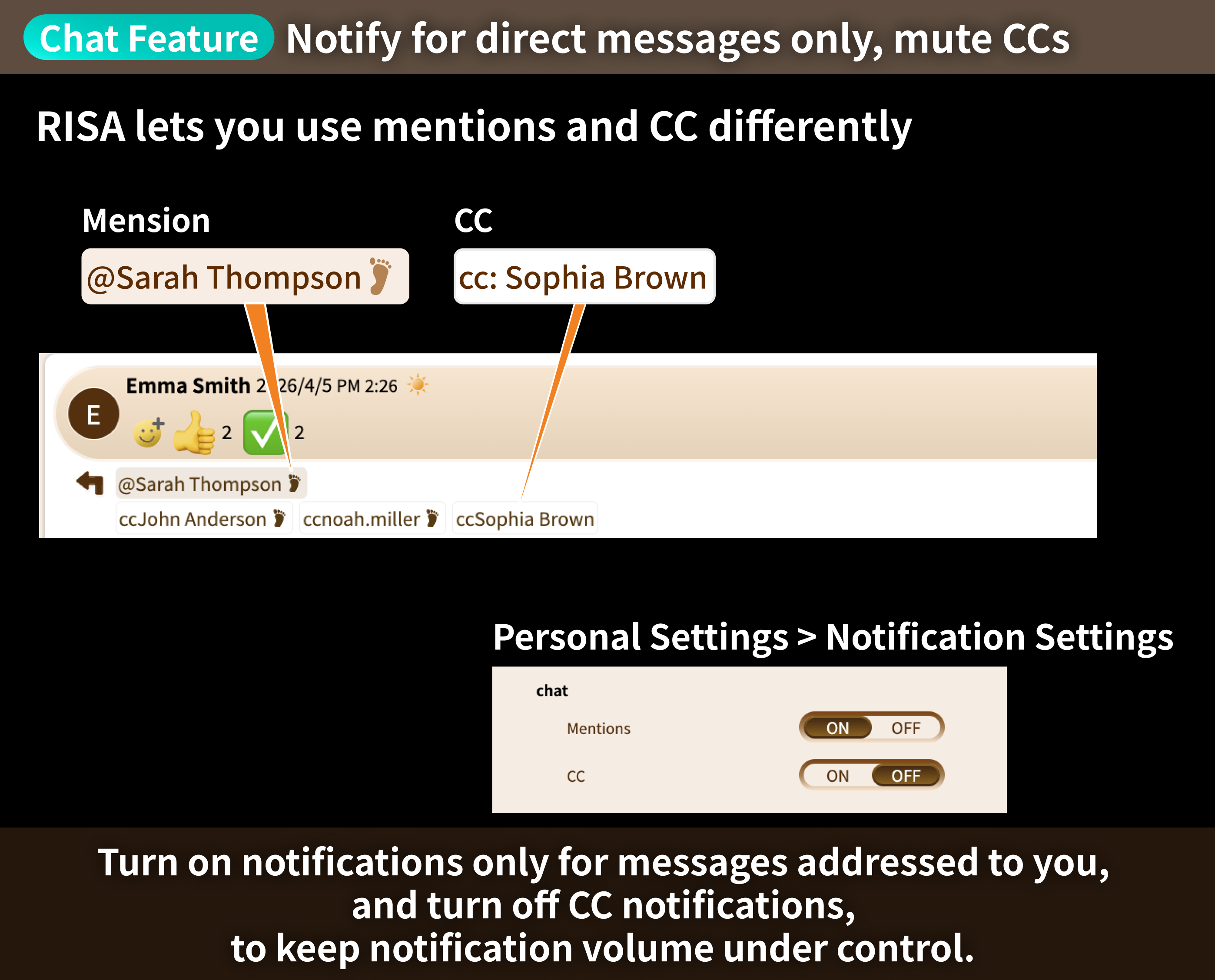
Get notified only for messages addressed to you
— and stop missing what matters
Turn off notifications for CC'd messages in your settings, so only messages meant
for you come through.
Cut the notification noise and dramatically reduce how often your focus gets interrupted.
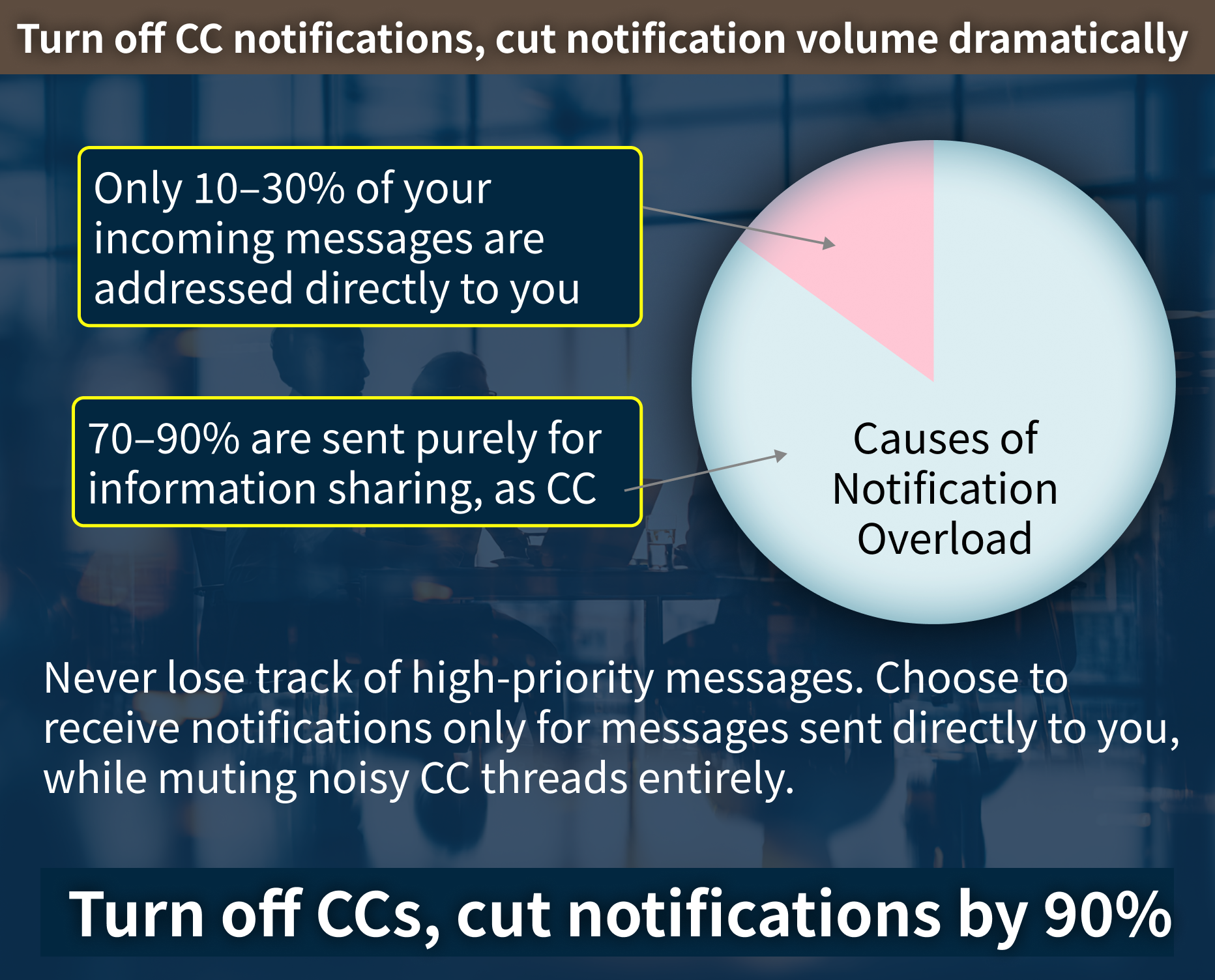
Muting CC notifications
cuts notification volume by over 90%
Set CC'd messages — the ones meant just to keep you in the loop — to
stay silent.
In real-world use, this cuts notification noise by over 90%,
so important messages don't get lost
in the flood.
Our own results > Over 90% fewer notifications at peak, based on roughly
two years of internal use.
Customer case study > At a 30-person project, notifications dropped
by about 90% for managers and 70% for engineers.
No credit card required.
Feature Comparison
Here's how RISA compares to the most widely used tools in project management.
Slack is built for communication and requires a separate task management tool alongside it.
Asana includes a basic chat-like feature, but you'll still need a dedicated chat app for real communication.
RISA delivers best-in-class functionality across the board, covering everything a project needs in one place.
※1: Requires a separate app from Atlassian, Confluence (from $6/user/month) — Jira alone doesn't support wiki functionality.
Pricing
RISA brings your team's information, conversations, and progress together in one place.
Try RISA PMT for free. You can upgrade to a paid plan anytime from within the app.
Start Your Free TrialNo credit card required.
※ On the free plan, content is automatically archived
once it passes its "history" period, and data is deleted
once it passes its "retention" period.
Upgrading before the retention period ends restores full access to your data.
Get task management, chat, wiki, Gantt charts, attendance tracking, and more, all at this price.
Purchase License