

Chat
RISA offers a powerful, beautifully designed chat built for professional teams, featuring mentions and CCs, read/unread indicators, and flexible notification settings.
With timelines and unread message filtering, it prevents missed messages and eliminates delays caused by communication gaps.
Integrating tickets (tasks) with chat significantly boosts productivity.
Conversations never get lost in fast-moving streams, and time spent searching for the right thread is dramatically reduced through seamless ticket–chat integration.
RISA’s chat keeps information organized and easy to find, lowering search costs while preventing oversights and accelerating team communication.
 Chat
Chat
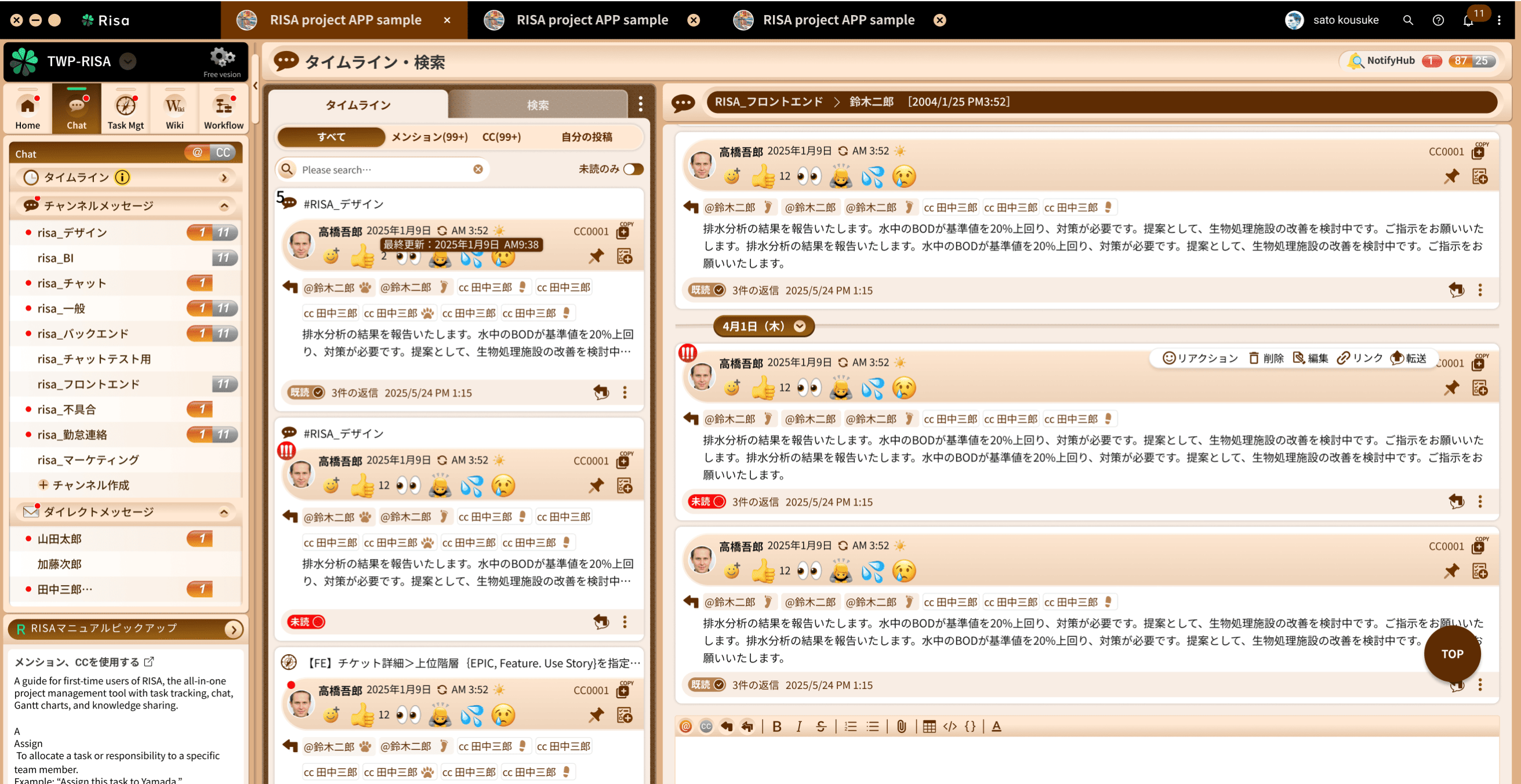
A Powerful Chat That Prevents Missed Messages
- Mentions, CCs, and read status prevent missed checks, slow replies, and neglect.
- Intuitive yet powerful, it integrates seamlessly with Kanban boards and Wikis.
 Chat
Chat
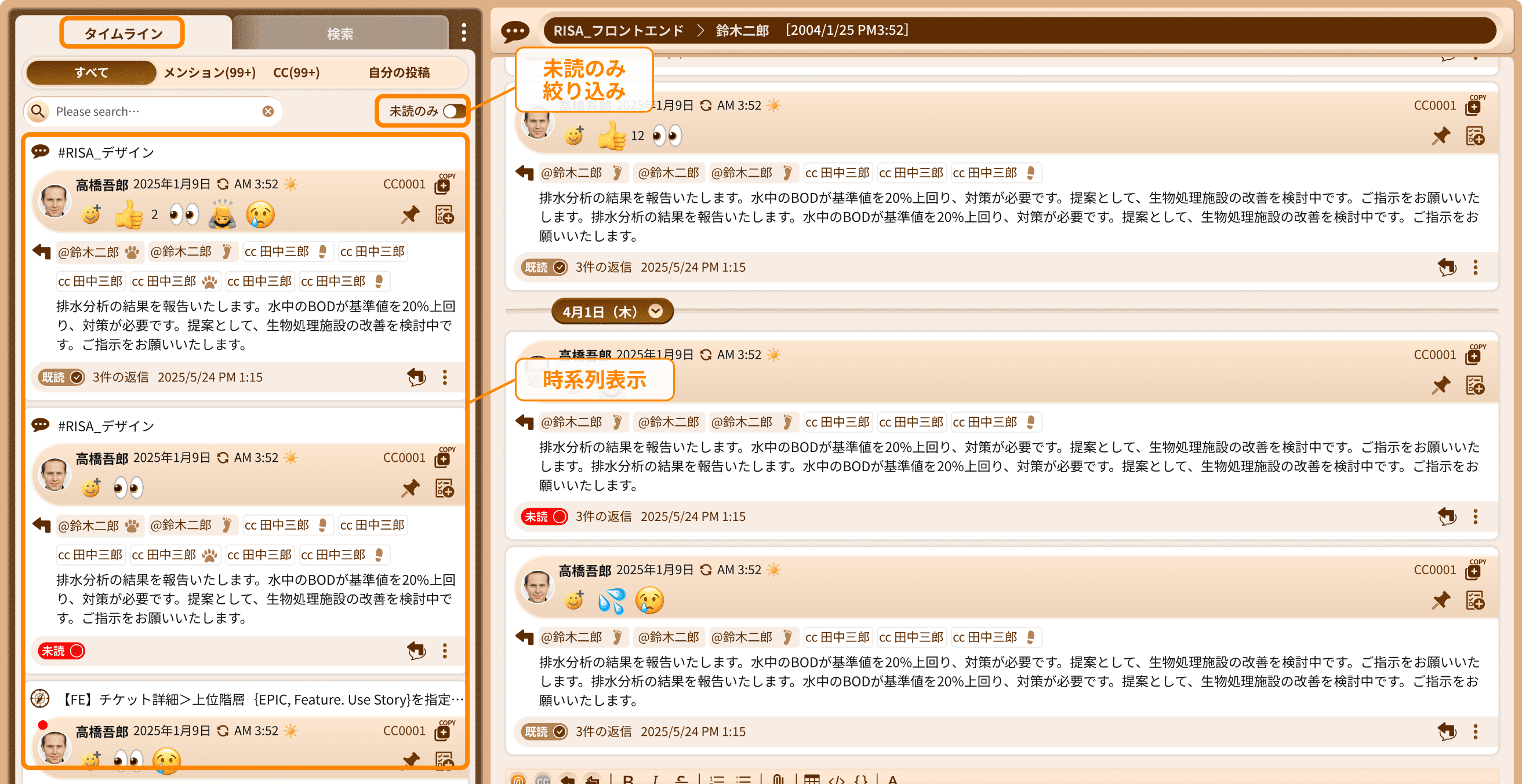
Displays all messages in Time order
- Zero oversight. Messages never get buried or lost in the flow.
- View unread messages exclusively in chronological order.
 Chat
Chat
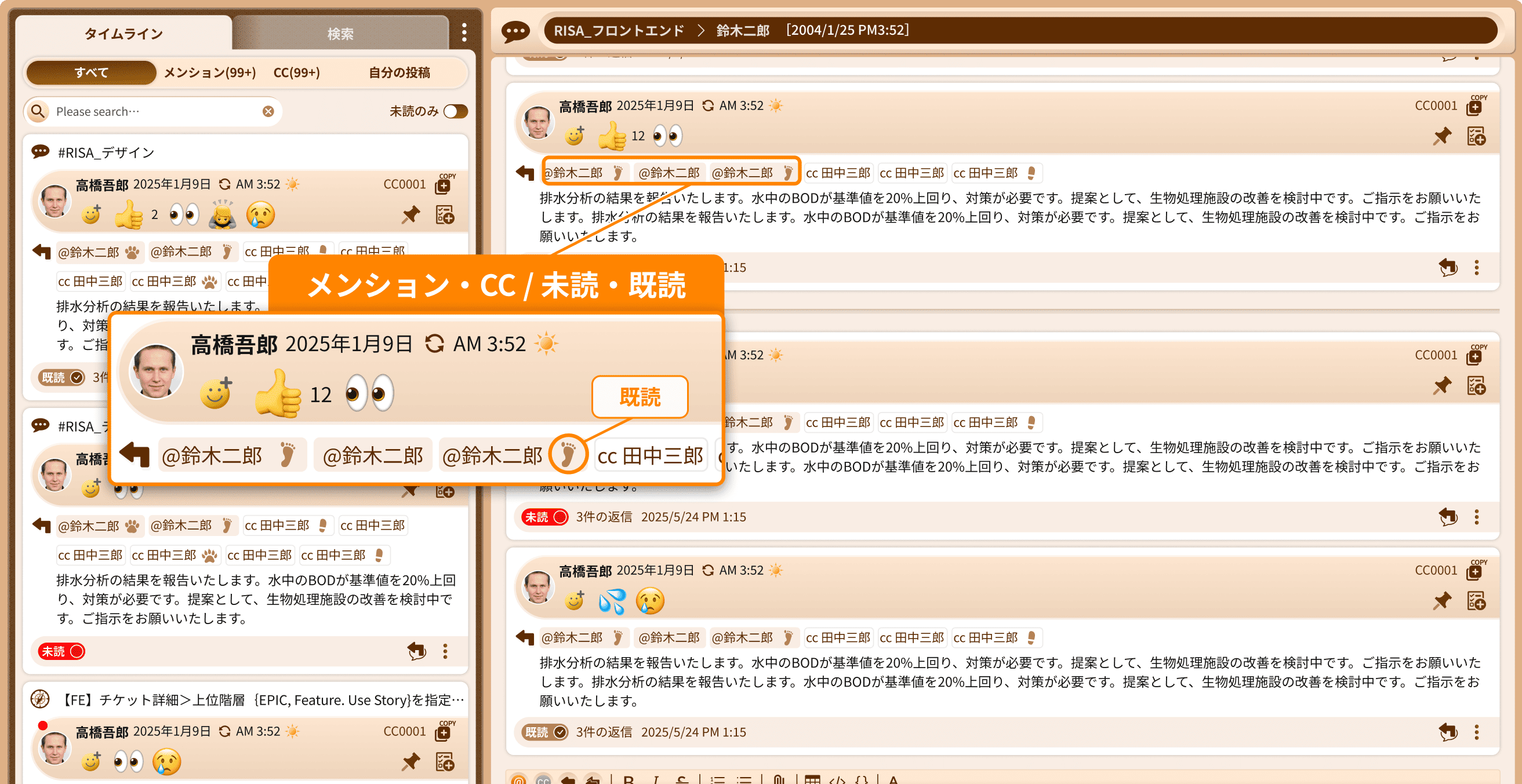
Mentions, CC, and Read Status for Faster Message Review
- With mentions and CC clearly separated, you can process high‑priority messages first.
- Read/unread states give senders clear visibility into the recipient’s status.
 Chat
Chat
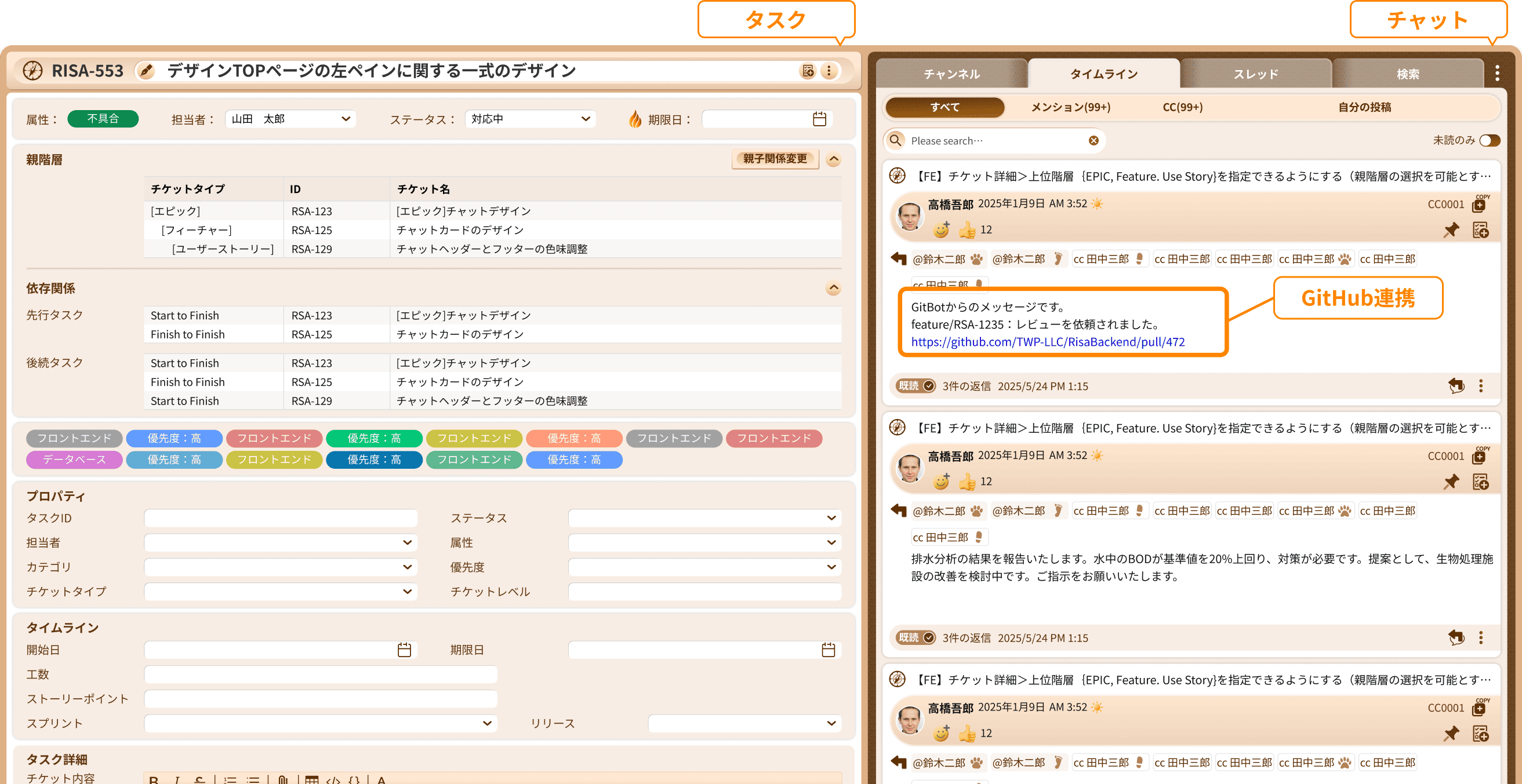
Chat Integrated into Task Tickets
- Integrating communication directly into tasks prevents information from becoming scattered.
- GitHub integration delivers event notifications and automatically updates statuses.
Kanban
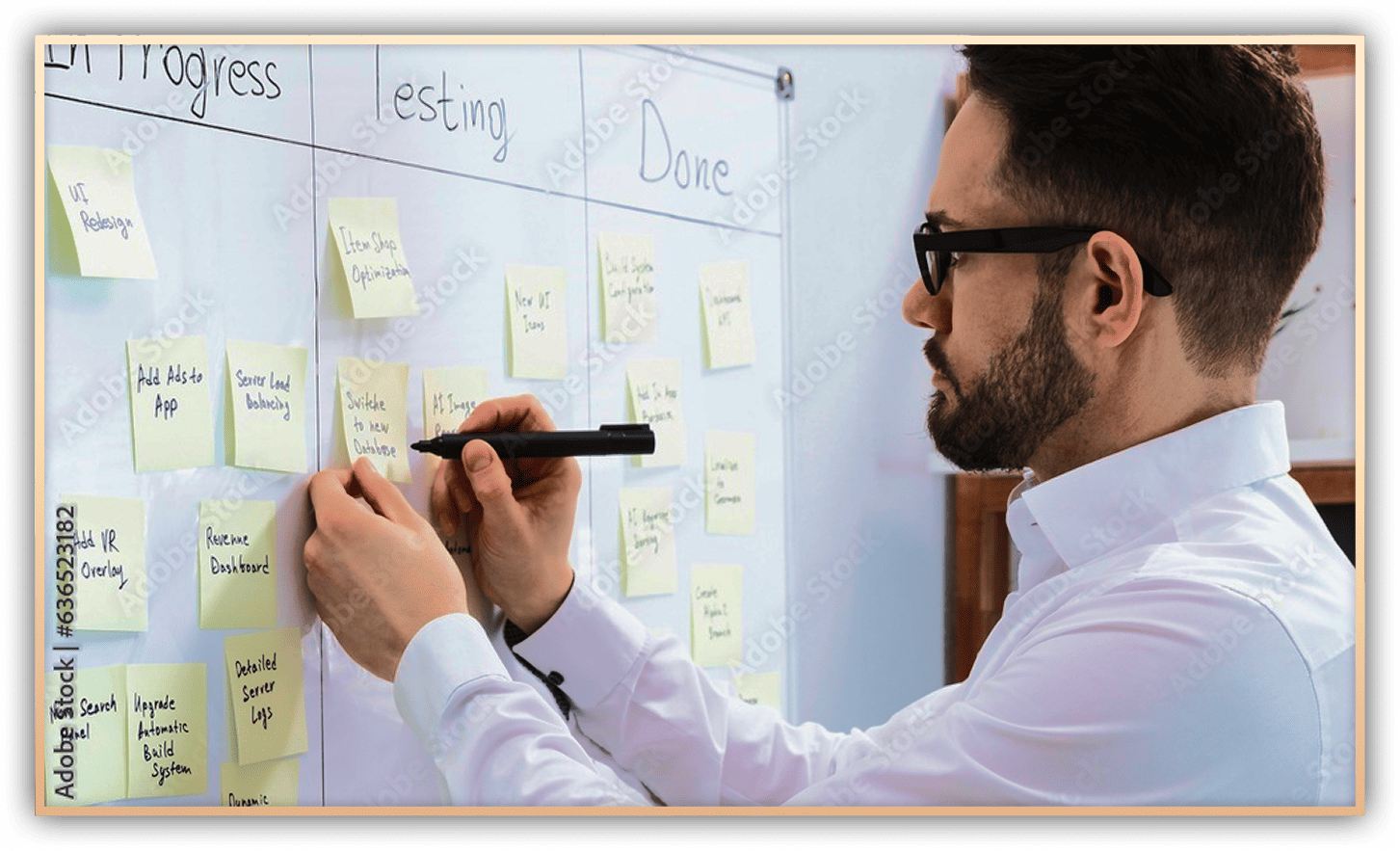
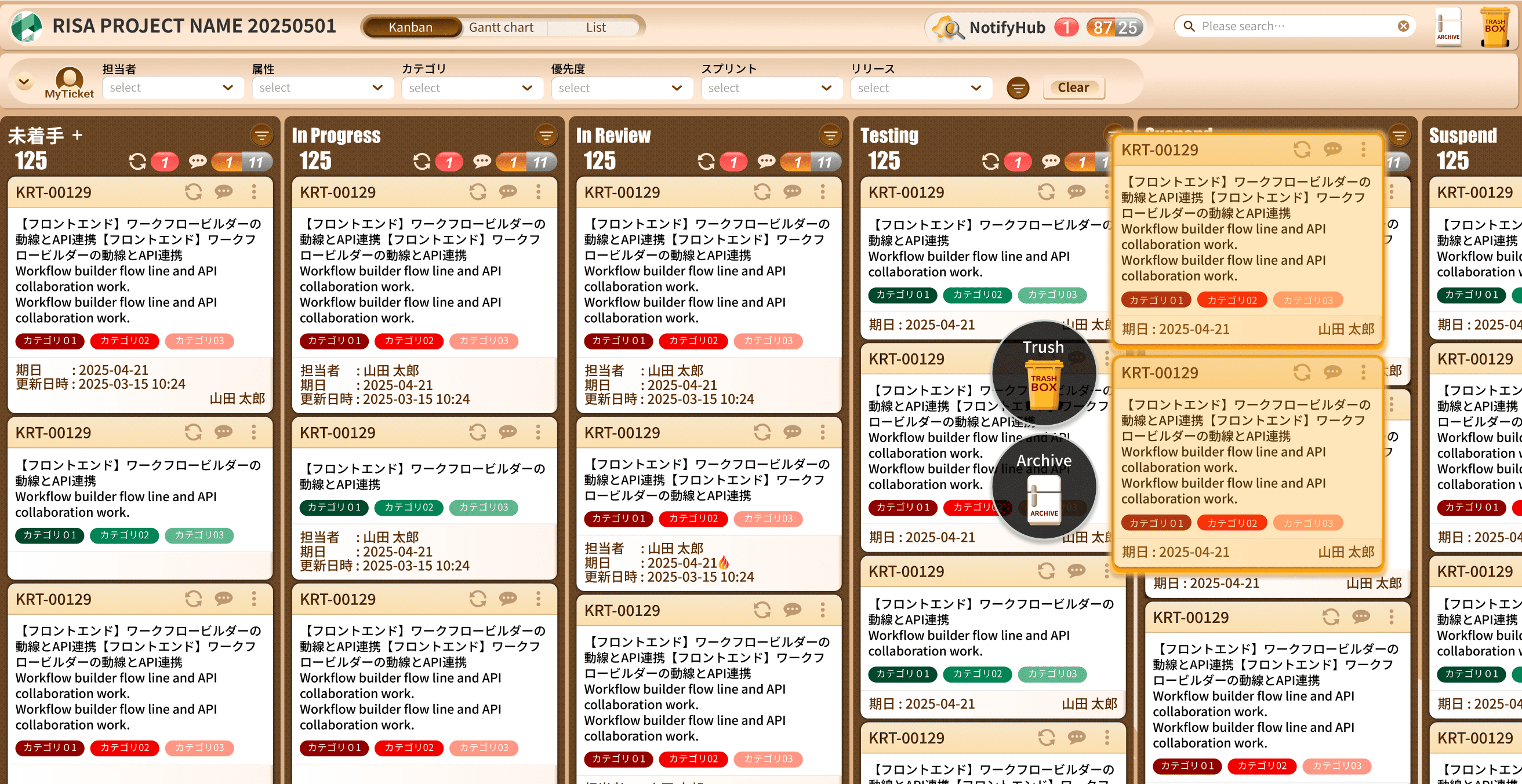
RISA’s Kanban board is designed to handle large volumes of tickets (tasks) at high speed.
You can move, delete, or archive multiple tickets at once, making task management fast and intuitive.
With clear visibility into ticket status, recent updates, and new chat messages within each ticket, teams can instantly understand the current state of a project and keep work moving forward.
The Kanban board, used primarily by individual contributors, features a clean and intuitive design that allows anyone to get started immediately.
Mid- to long-term planning and hierarchical ticket management are handled mainly through the Gantt chart, keeping each tool focused on what it does best.
Kanban
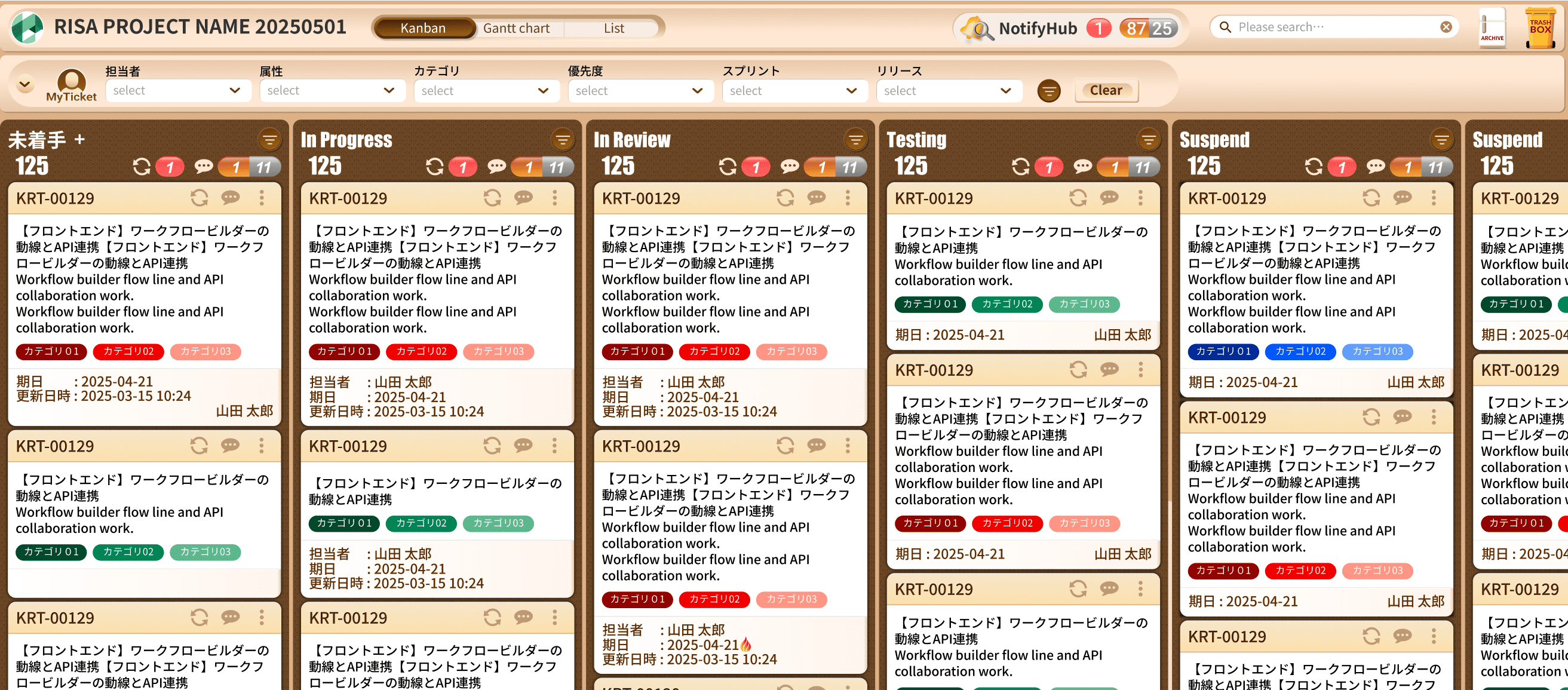
Intuitive task management
- Quickly check task statuses with search and advanced filtering.
- Visually detect delays, new messages, and ticket updates.
 Kanban
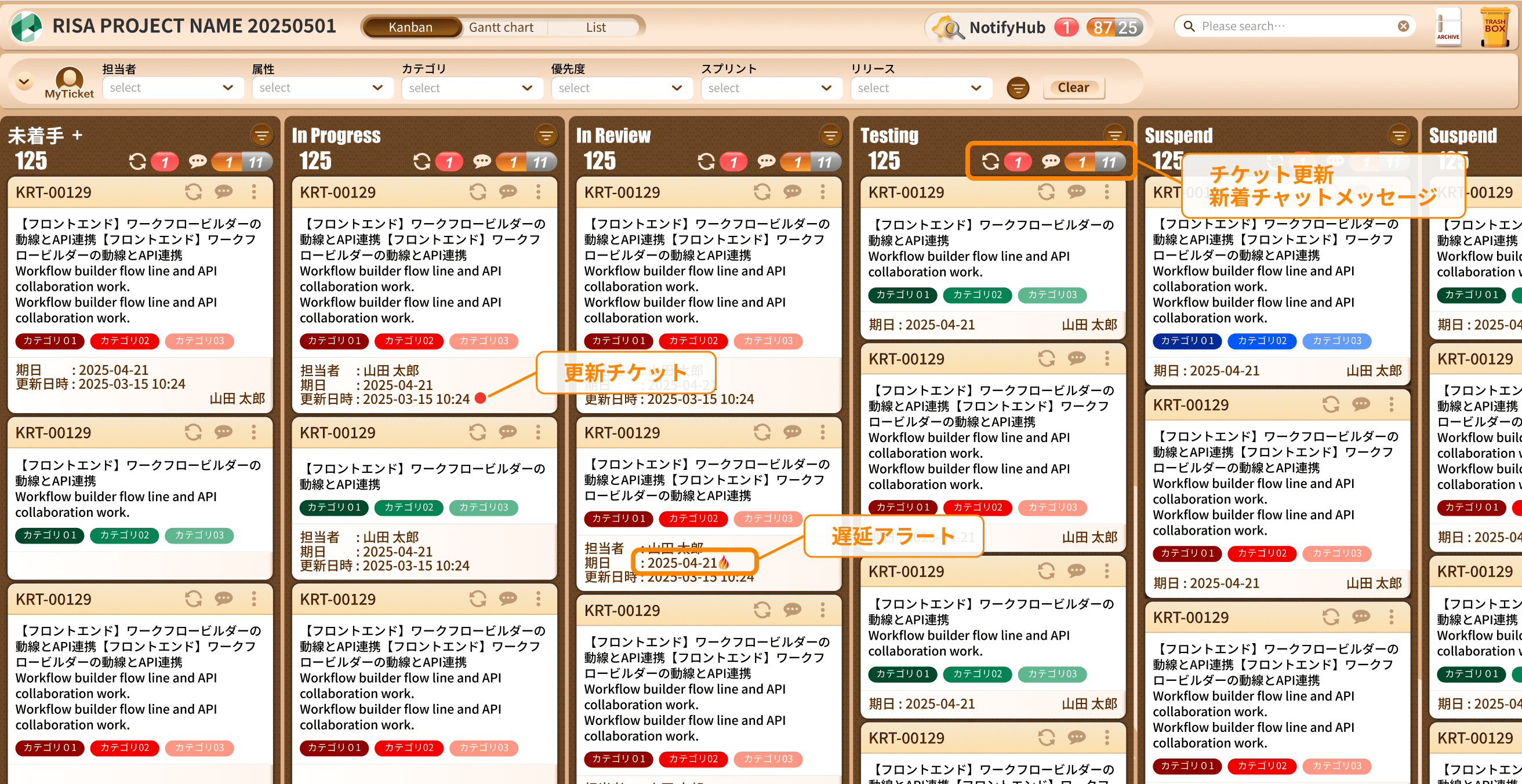
Avoid Missed Checks with Visual Indicators
- Visually identify unreviewed ticket updates through icons.
- Visually identify unread messages (mentions and CC) within each ticket.
 Kanban
Handle multiple tickets at once
- Support bulk movement of multiple tickets simultaneously.
- Drag‑and‑drop support for moving tickets to Archive or Trash.
Gantt Chart
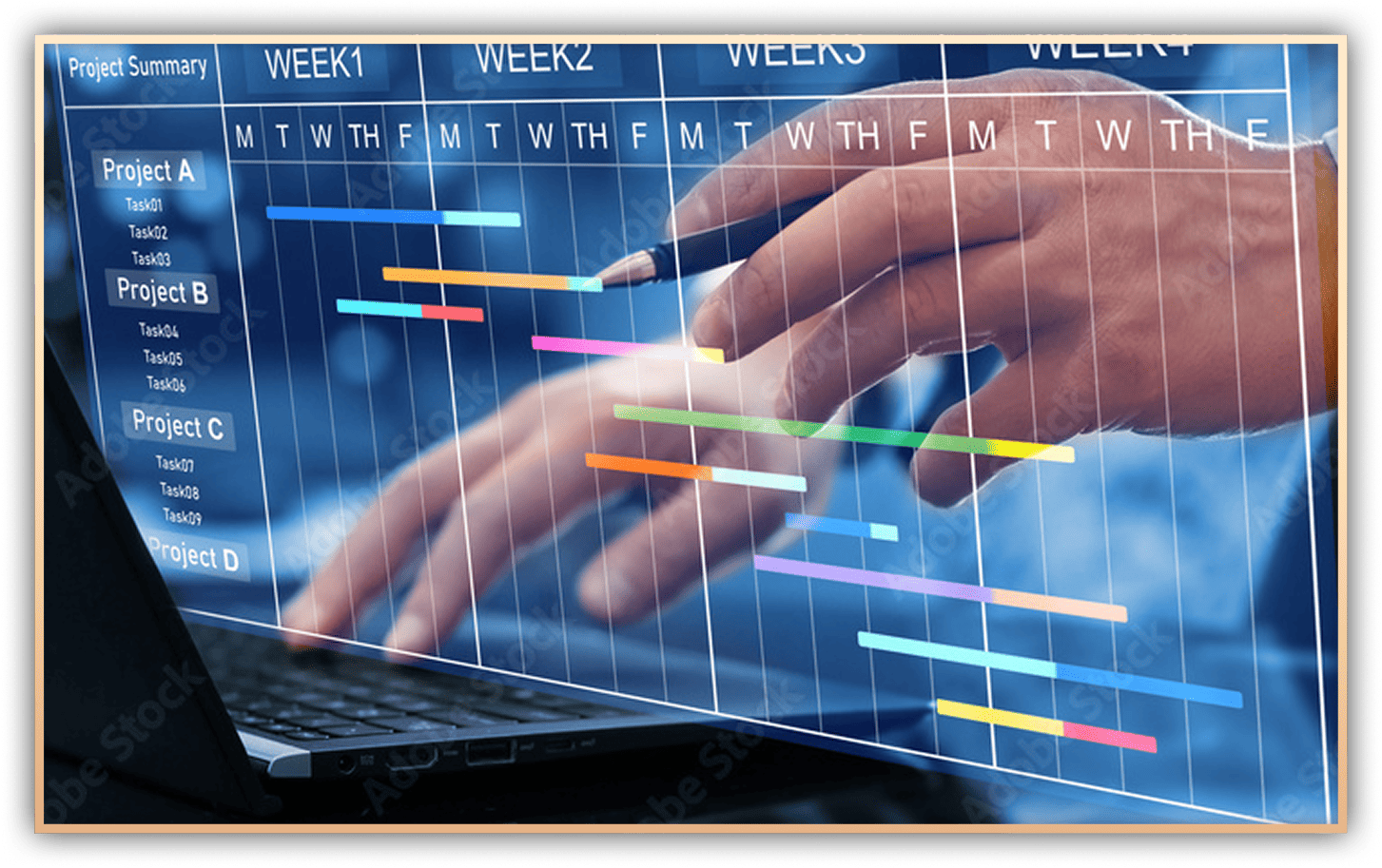
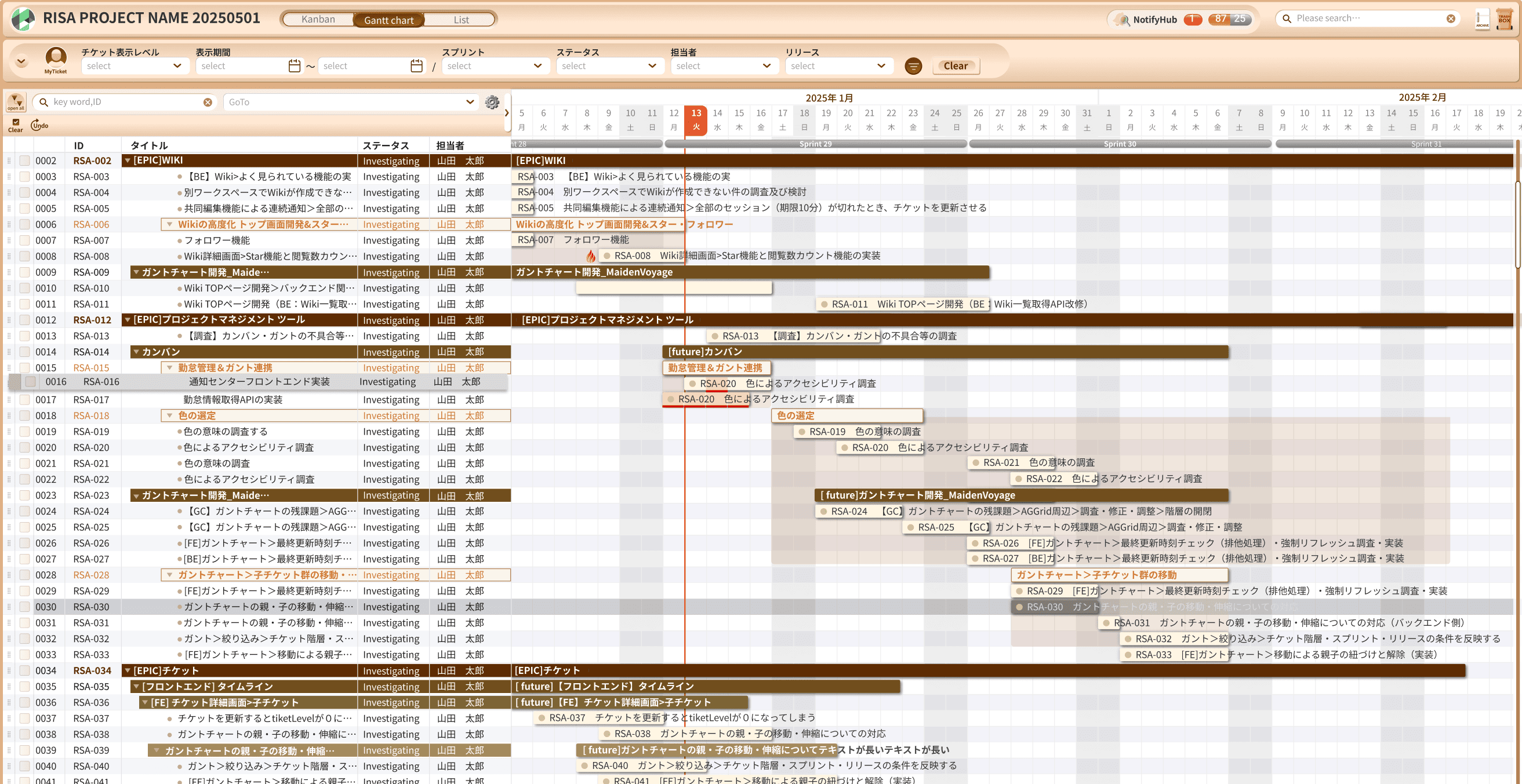
RISA’s Gantt chart is designed to move beyond traditional WBS and Gantt tools that are time‑consuming to create and maintain.
Optimized for agile workflows, it delivers an intuitive planning experience while still providing the essential capabilities required for project planning and progress tracking—all with the ease of a spreadsheet.
It supports agile development using epics and user stories, as well as hierarchical task management such as Level 1, Level 2 WBS structures.
Scalable and flexible enough for both small and large projects, RISA’s Gantt chart improves project transparency by clearly visualizing progress, issues, and risks.
Gantt Chart
Intuitive, visual planning and progress tracking
- Create detailed Gantt charts with simple operations, and maintain them with ease.
- Intuitive planning and progress management through advanced, multi‑facet filtering.
 Gantt Chart
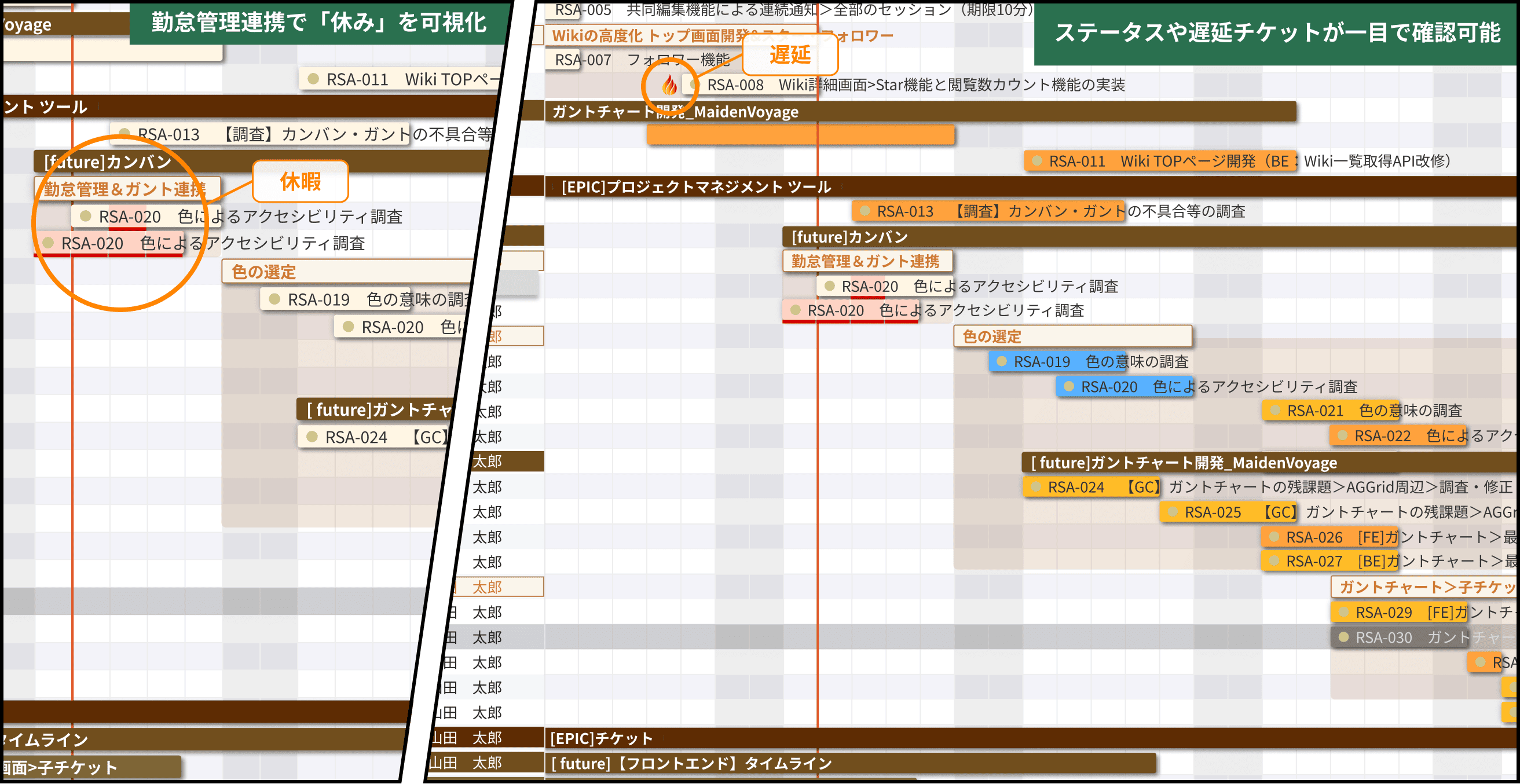
Visual risk detection
- Instantly grasp progress by switching perspectives via tabs and combining them with filters.
- Visually identify task statuses and delays.
 Gantt Chart
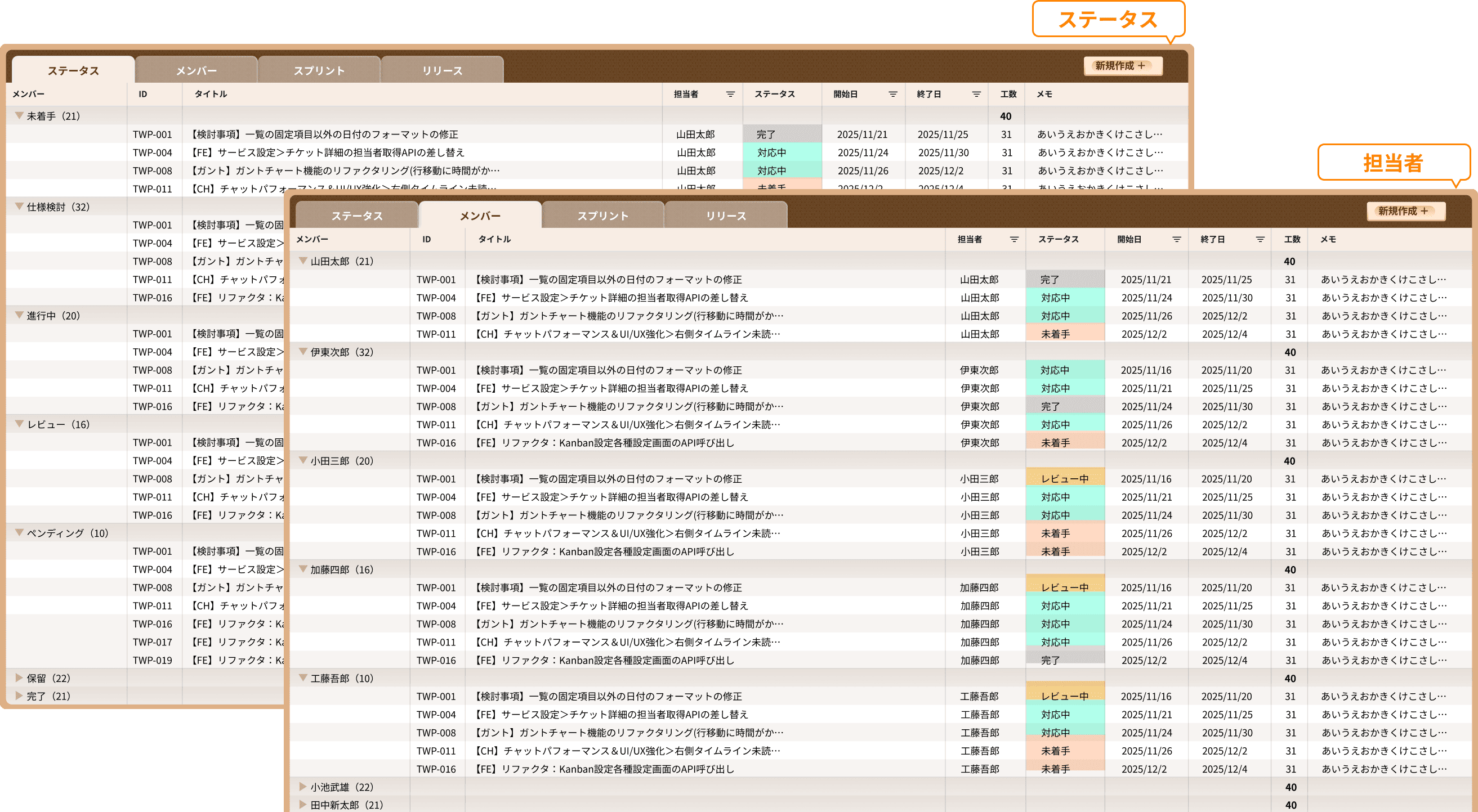
Check progress in a unified list view from multiple perspective
- Instantly grasp progress by switching perspectives via tabs and combining them with filters.

Wiki
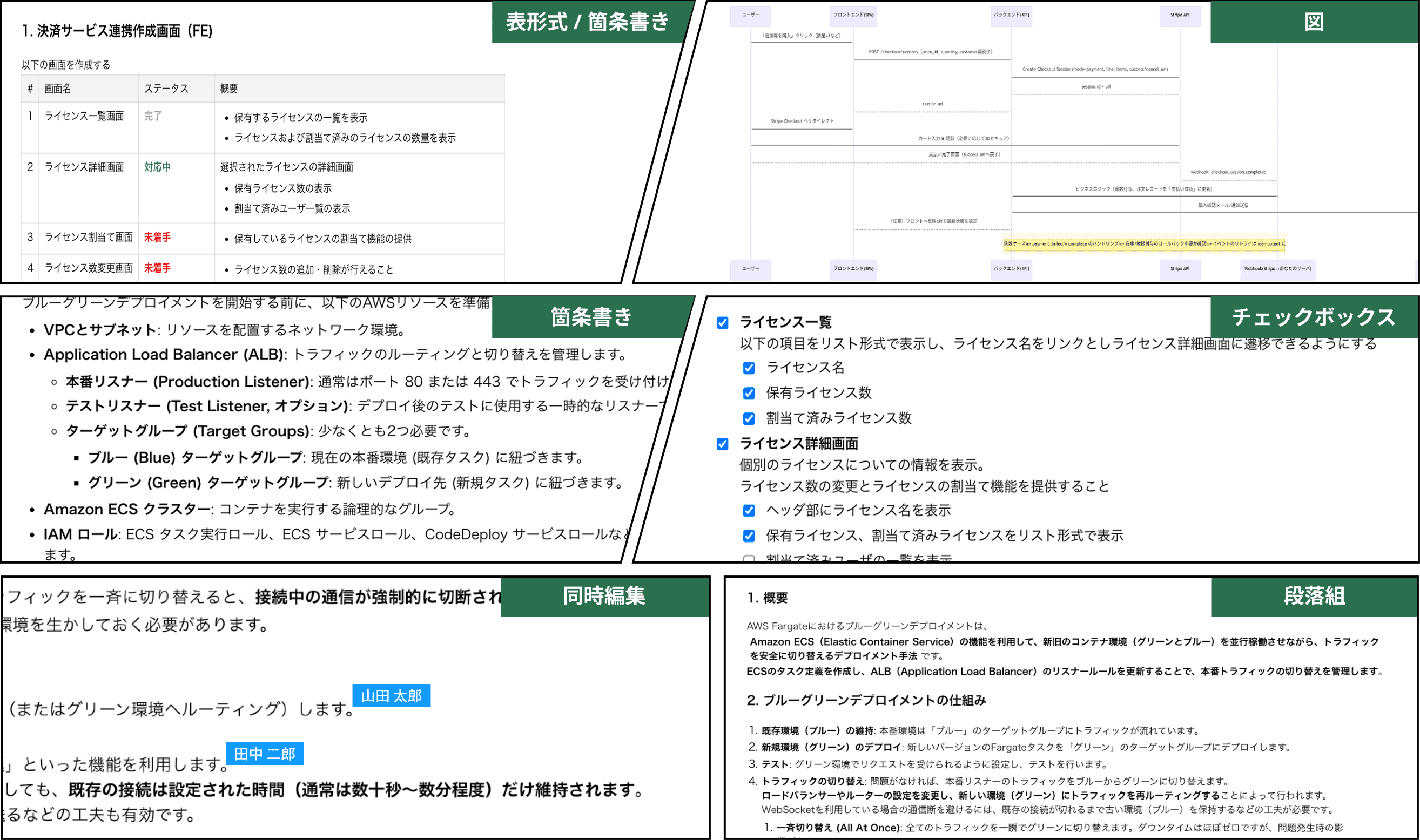
RISA’s Wiki is simple enough for anyone to use immediately, while Markdown support enables rich and expressive documentation.
It includes all the essentials for daily work, such as tables, structured sections, and bullet lists.
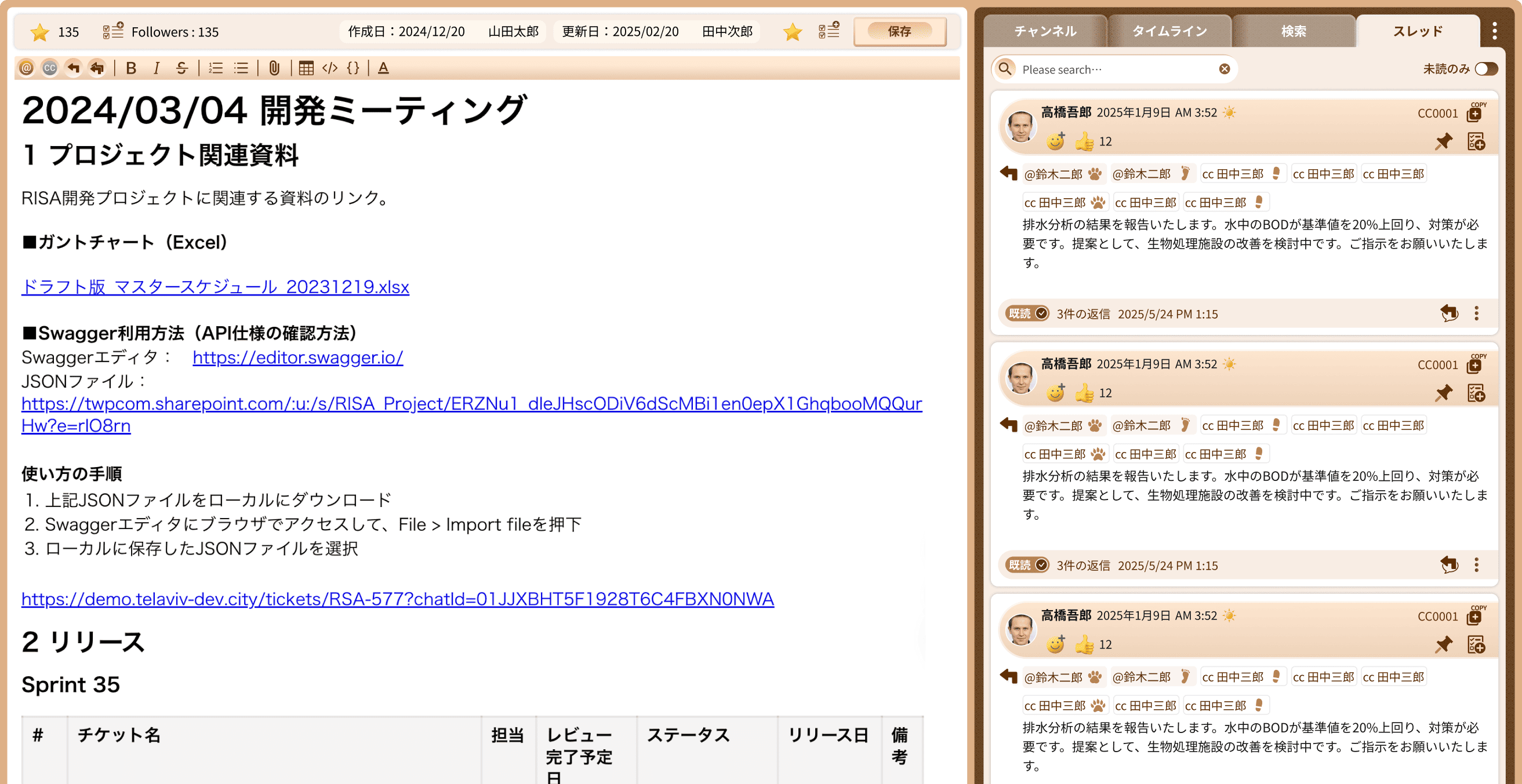
Each Wiki document has chat built in.
You can message stakeholders or ask questions directly within the document, keeping discussions closely tied to the content.
By enabling chat-based communication on internal documents and knowledge bases, RISA transforms Wiki pages from static information into valuable, living knowledge assets that drive deeper collaboration.
Wiki
Create Rich Content with Markdown
 Wiki
Wiki
Create New Value by Connecting Wiki and Chat
- Rich Markdown-based formatting and expressiveness as a full-featured Wiki.
- Linked chat threads enable deeper knowledge sharing directly within the Wiki.
 Get Start